How to Draw a Nissan Skyline GTR R34 Like a Pro
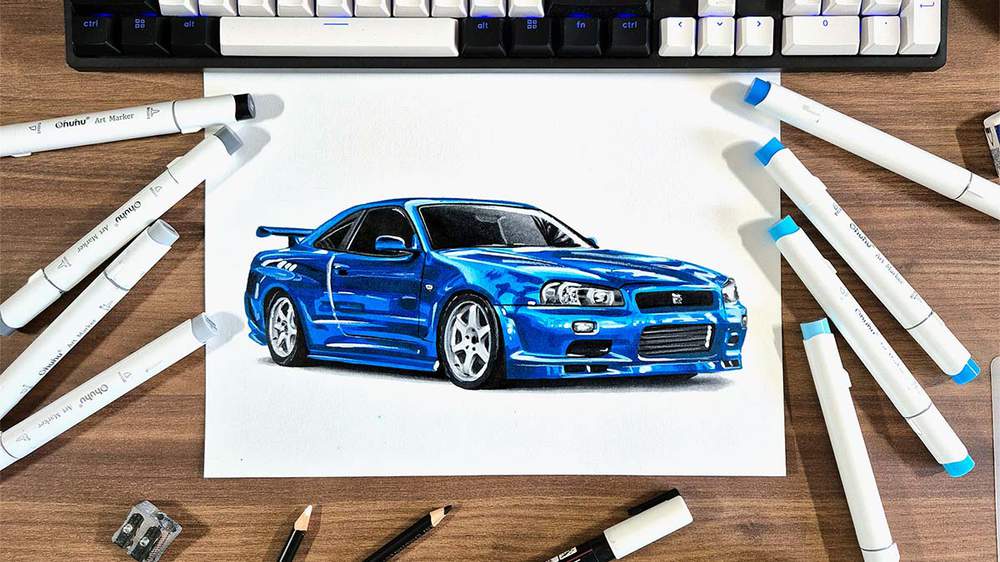
In this car drawing guide, I'll show you how to draw a realistic blue Nissan Skyline GTR R34 step by step with just a few drawing supplies.
You won't find another free guide that is this realistic anywhere on the internet.
So, let's get drawing!
Disclaimer: In the name of full transparency, please be aware that this blog post contains affiliate links and any purchases made through such links will result in a small commission for me (at no extra cost for you).
Drawing Supplies I Used to Create This Drawing
To make this drawing, I used Ohuhu Honolulu markers in the colors Colorless Blender (0), Neutral Grey 03 (CG030), Neutral Grey 3 (NG03), Neutral Grey 07 (CG070), Neutral Grey 6 (NG06), Black (120), Robin's Egg Blue (B050), Tahitian Blue (B070), Process Blue (B080), and Royal Blue (PB6).
You can also buy these colors separately on their website.
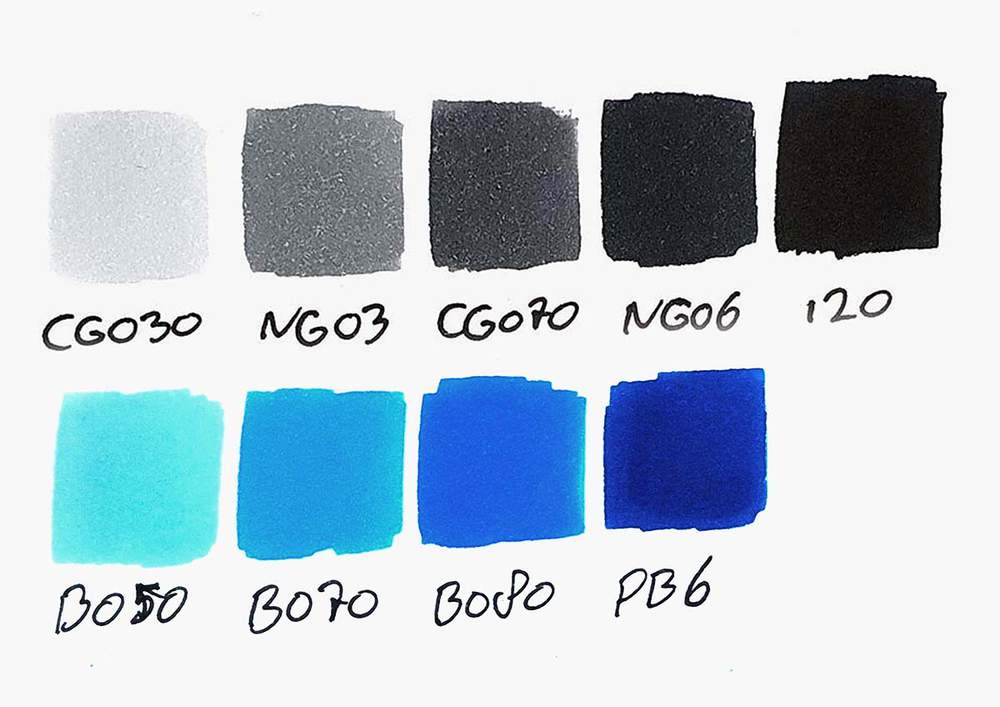
I also used some Derwent Chromaflow colored pencils to add details. I used White 2400 and Black 2300.
I used a white Posca PC-3M paint marker to add white highlights.
And I used an HB pencil, a ruler, an eraser, and a kneaded eraser.
I made this drawing on A4-sized Canson Illustration Manga Paper.
How Do You Draw a Nissan Skyline GTR R34?
To create a realistic Nissan Skyline GTR R34 car drawing, you'll first need to find a good reference photo.
Next, you sketch the outline of the car.
After that, you color the R34, part by part, until it is fully colored.
And to finish it off, you add a few details with colored pencils and a few highlights with a white paint marker.
Step 1: Find a Reference Photo You Like
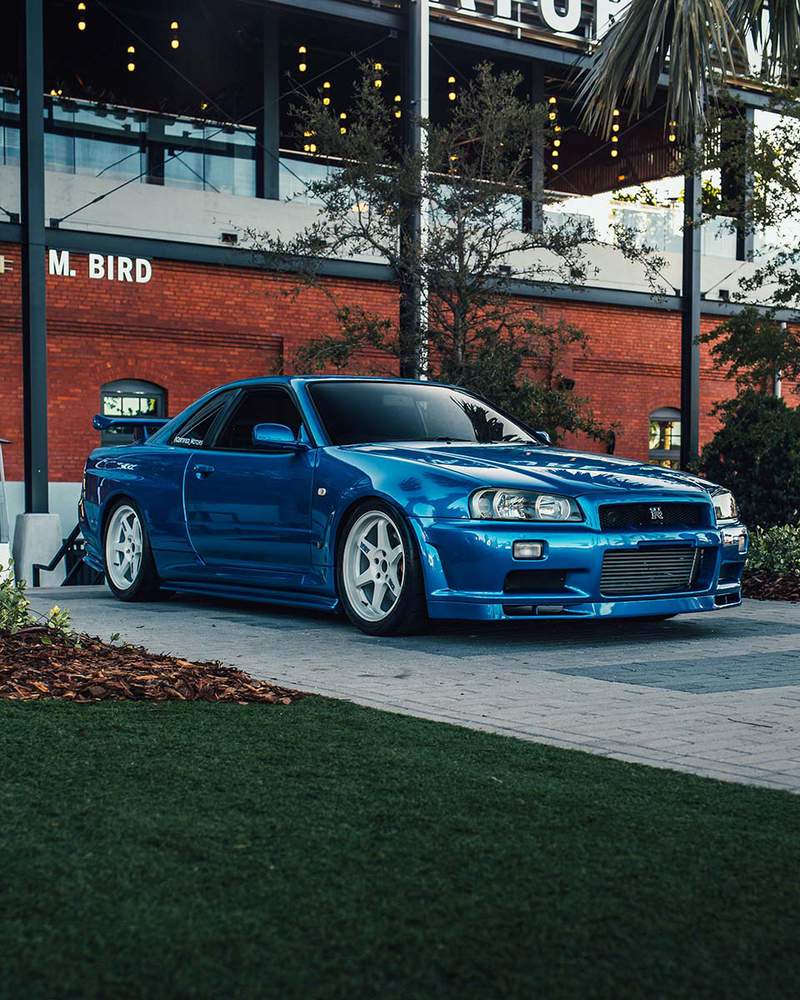
If you want to draw a car realistically, it's always good practice to use a reference photo.
I like to look on websites like Unsplash, and that's where I found this beautiful photo of a blue Nissan GTR R34.
Step 2: Sketch the Outline of the Nissan R34
Now that we have a photo we can refer to when drawing, we can start sketching the R34, starting with the outline.
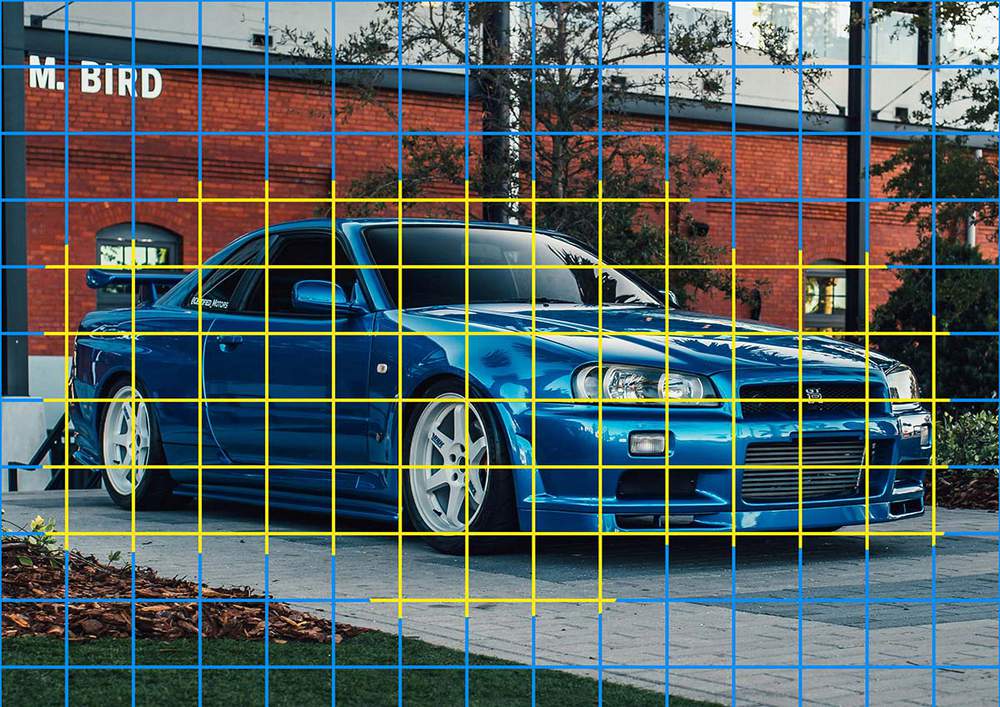
To make sketching accurately a bit easier, I like to use the grid method.
If you're new to this method or you don't know how to use it, I highly recommend you check out this guide I wrote about this sketching technique.
To use the grid method, I first resized the photo to the same size as my paper and positioned it. My paper is 29.7 by 21 cm or 3508 by 2480 pixels.
Then, I added a grid overlay of 15 by 10.5 squares, which makes each square 2 by 2 cm or 0.8 by 0.8 inches.
I also like to only sketch the grid squares that contain parts of the cars. That's why I marked those squares in yellow in the image.
Next, I recreated the grid on my paper. As I said before, I made the grid squares 2 by 2 cm or 0.8 by 0.8 inches.
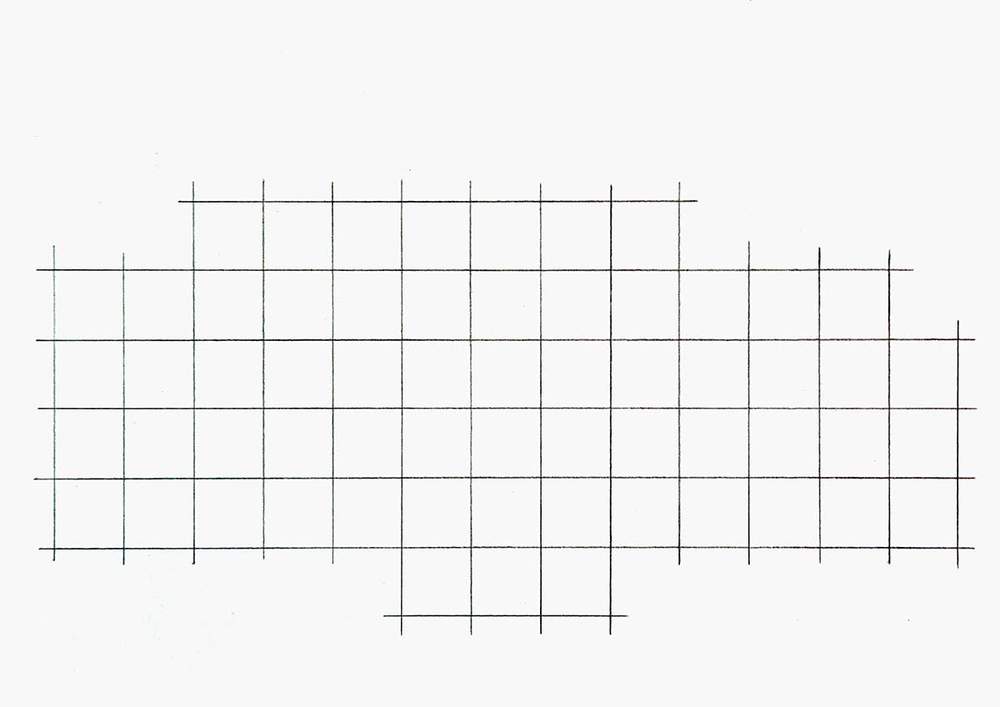
With the grid now done, we can start sketching the actual car.
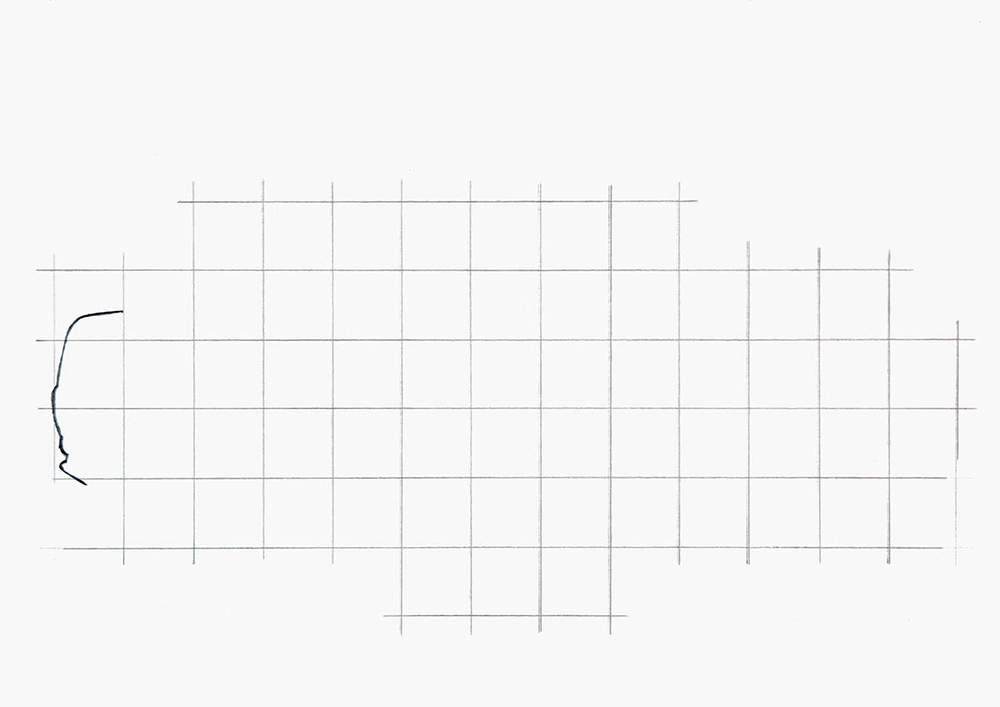
I broke the whole outline into simple-to-sketch sections, starting on the left of the drawing, which is the hardest part of this outline.
For each section, I marked the starting point, the end point, and where it crosses grid lines. Then, I sketched it in one swift motion.
I broke this section up into 4 parts, and this is how it looked when I sketched them all:
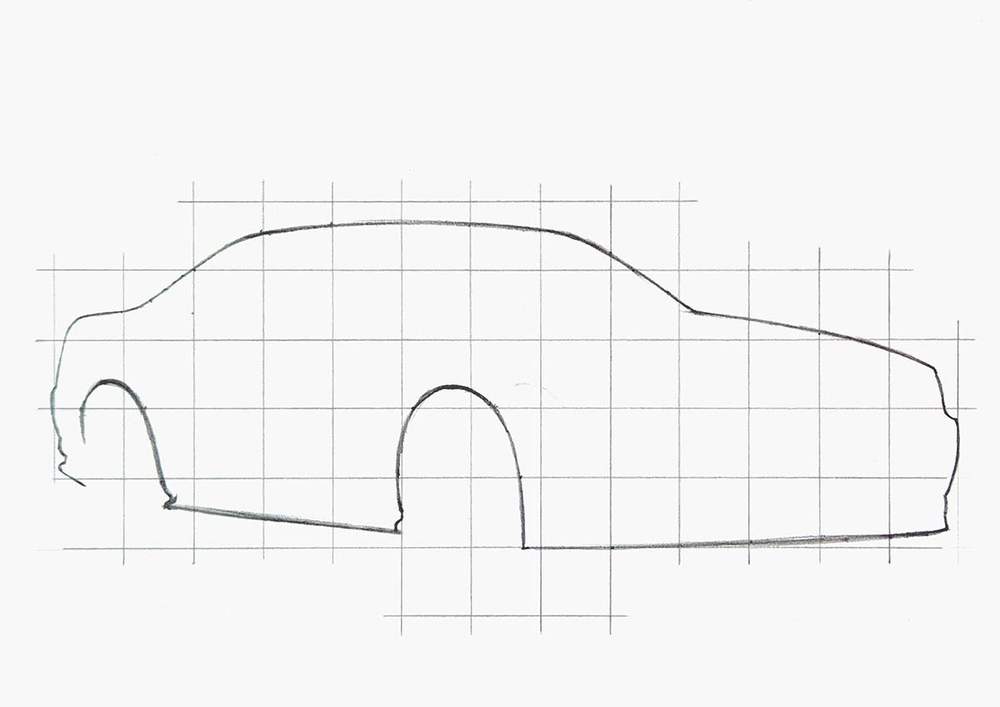
After that, I sketched the rest of the outline, which is made up of larger lines, making it easy to sketch.
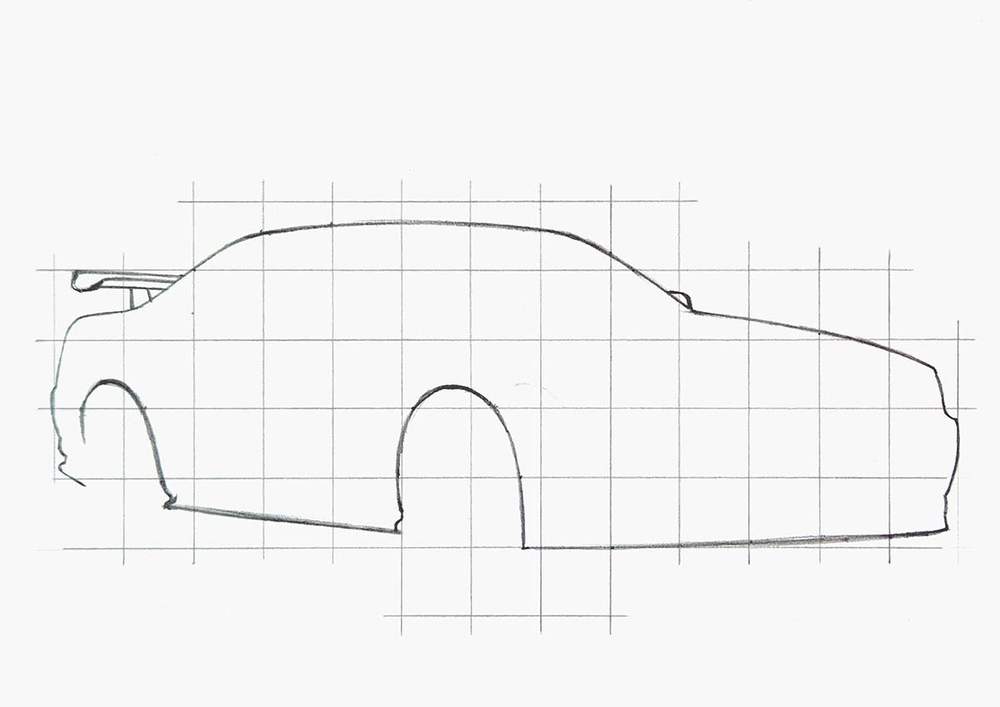
To complete the outline, I added the wing and the mirror on the right.
Step 3: Add All the Parts & Details of the Skyline GTR R34
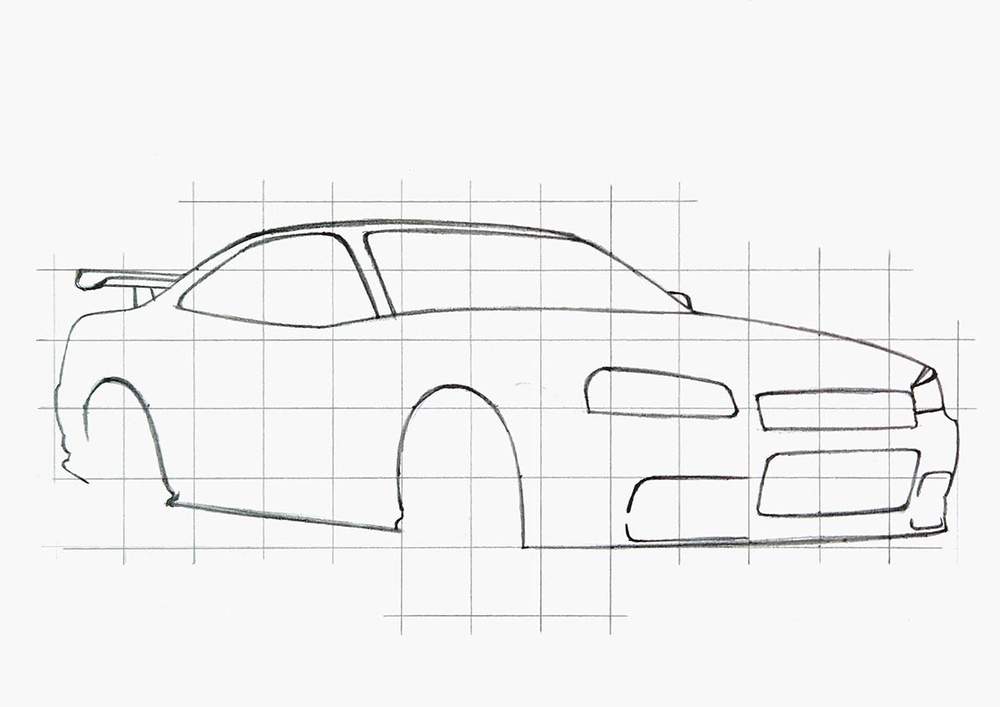
Now that the outline is done, it's easier to sketch the rest of the car, starting with the more prominent parts like the window outlines, the headlights, and the grills on the front bumper.
To sketch these, I used the same method as for the outline: break it up into sections, mark the start and end points, mark where it crosses grid lines, and sketch it in one motion.
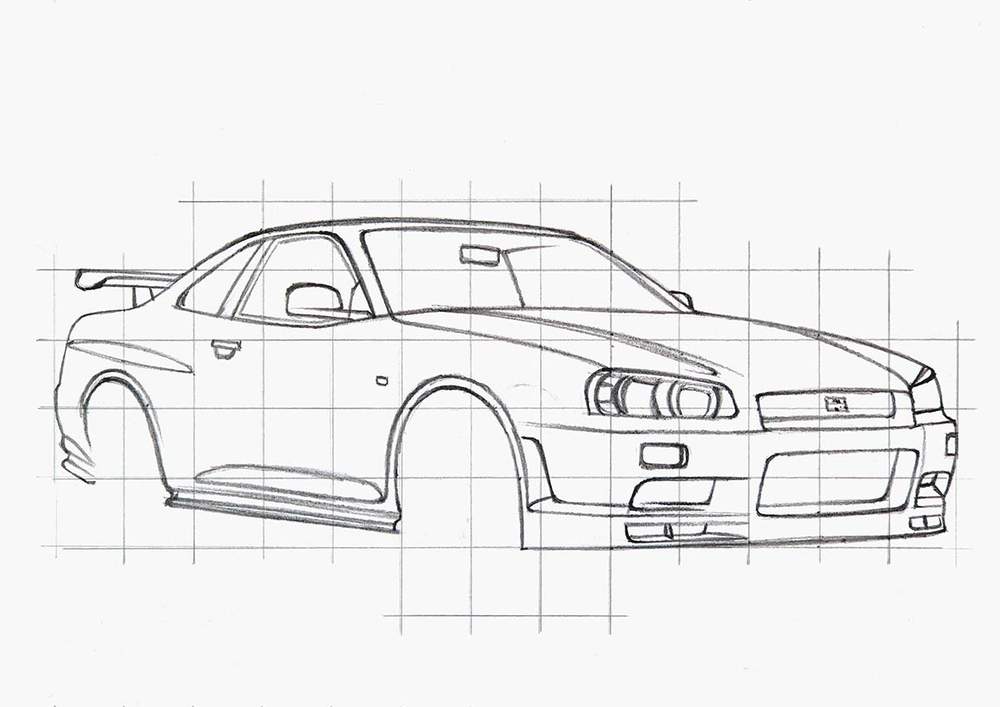
After that, I started adding smaller parts, details, and body lines.
Just work your way around the car and sketch these parts one by one until you've covered them all.
Step 4: Sketch the Wheels of the Nissan GTR R34
You might have noticed that I didn't sketch the wheels yet.
That's because many people find them hard to draw, so I wanted to spend a bit more time explaining how I sketched them.
I started by sketching the outline of the front face of the wheel.
Again, I first marked where this outline crosses grid lines, but I also marked the very top, right, bottom, and left edges.
Then, I sketched an ellipse through these points and tried to make it not look potato-shaped, which can be quite challenging and often takes multiple tries.
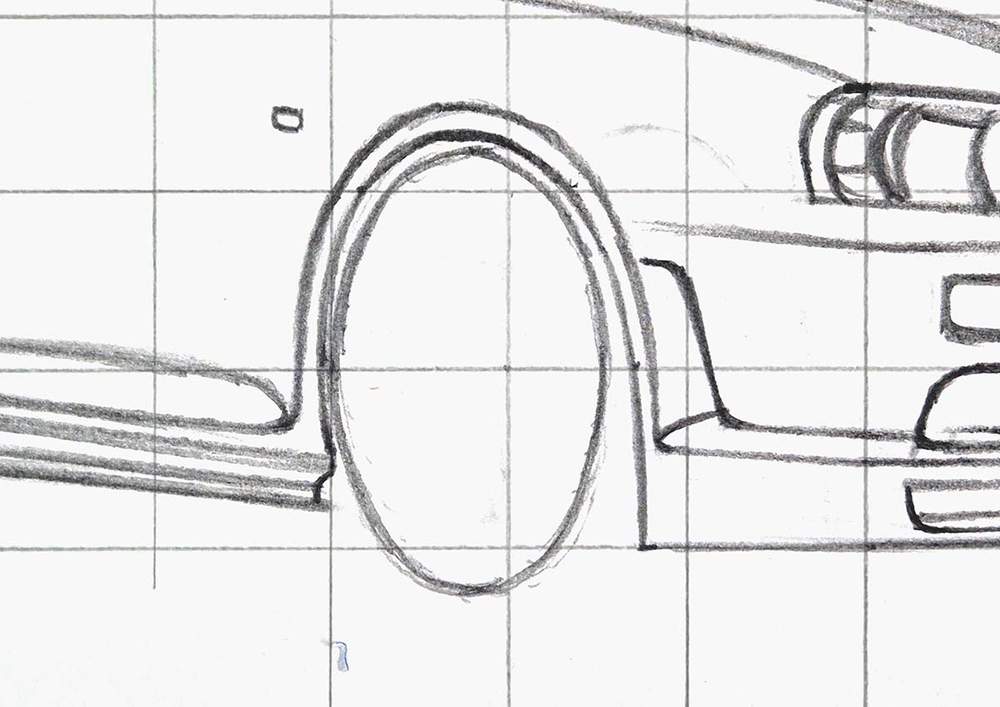
Next, I sketched the inside edge of the tire and marked the center with a small ellipse.
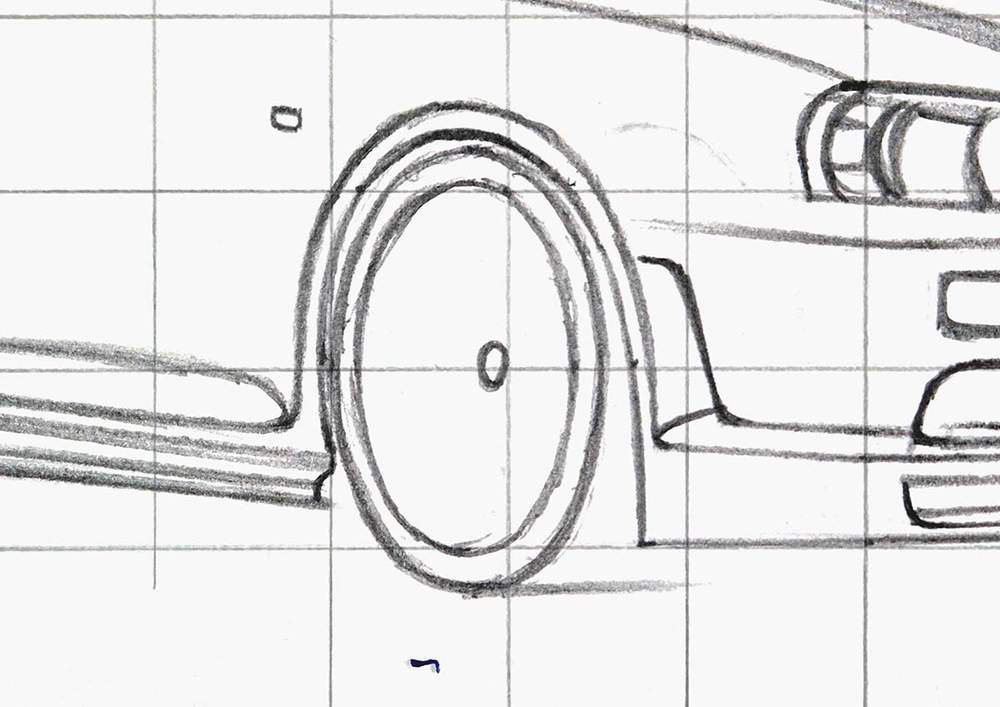
In this specific wheel design, there is this slightly larger ellipse around the center, so I sketched it.
I also marked the base of the 6 V-shapes that this wheel is made up of.
This wheel also has another inset edge where the spokes connect to, so I also sketched that on the left side of the wheel.
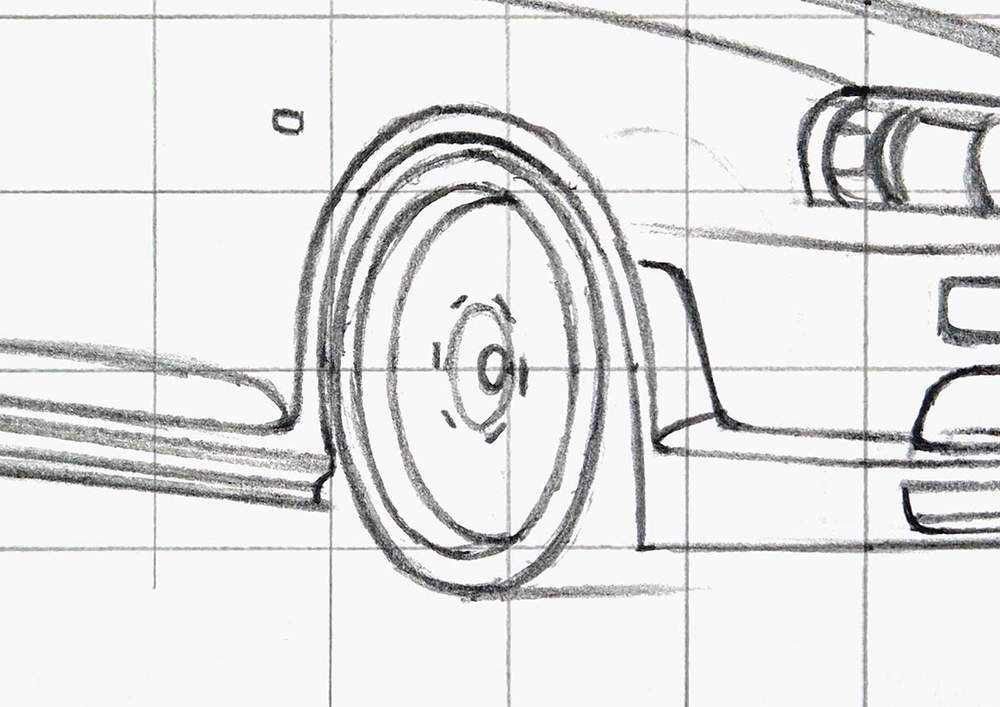
After that, I added the spokes, making sure to curve the ends a bit to the right to make it look like they curve inwards just like they do in the reference photo.
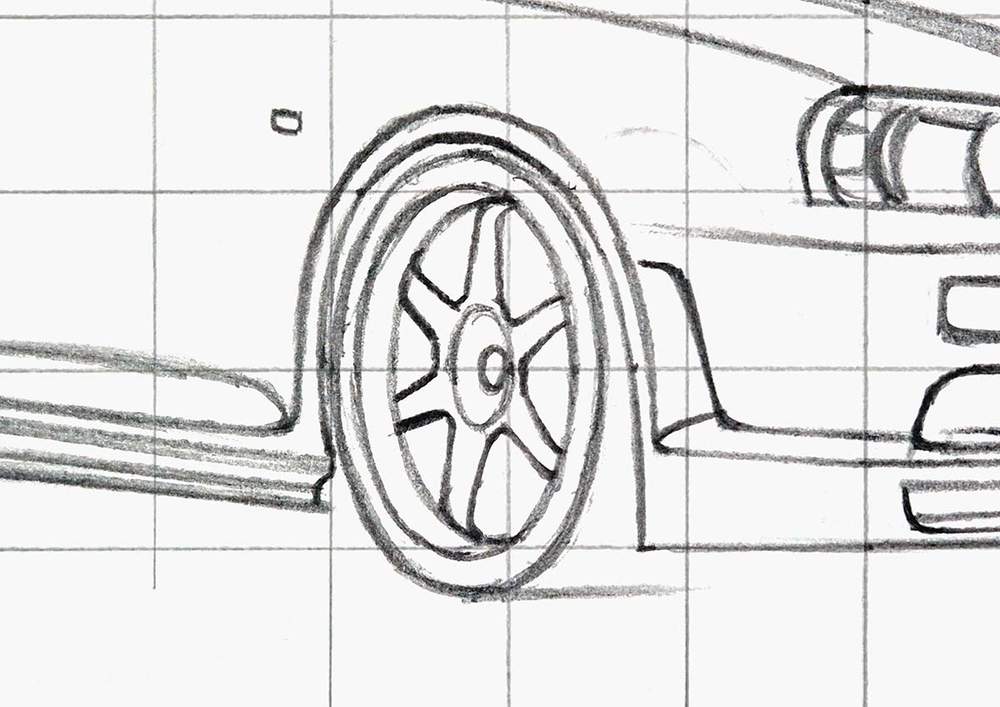
And to complete this wheel, I added a line to the right of all spokes (where visible) to make them look 3D, and I added another edge on the left just to the right of the previous one we sketched, and I added the bolts in the center.
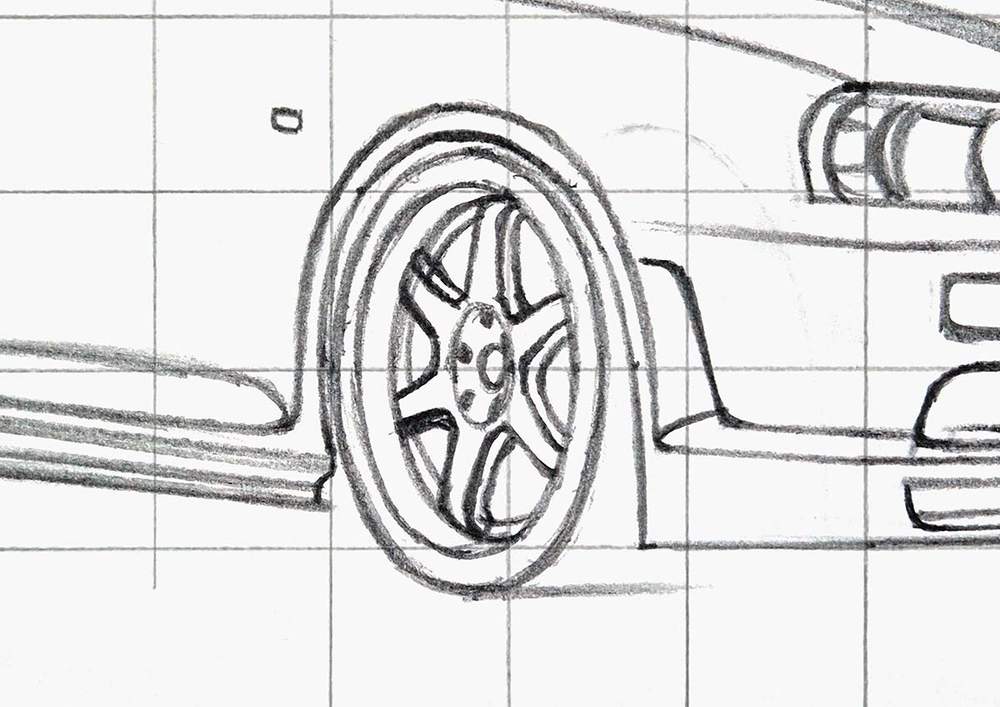
And that's one wheel done!
Next, I repeated these steps for the rear wheel, and I added the shadow underneath the car.
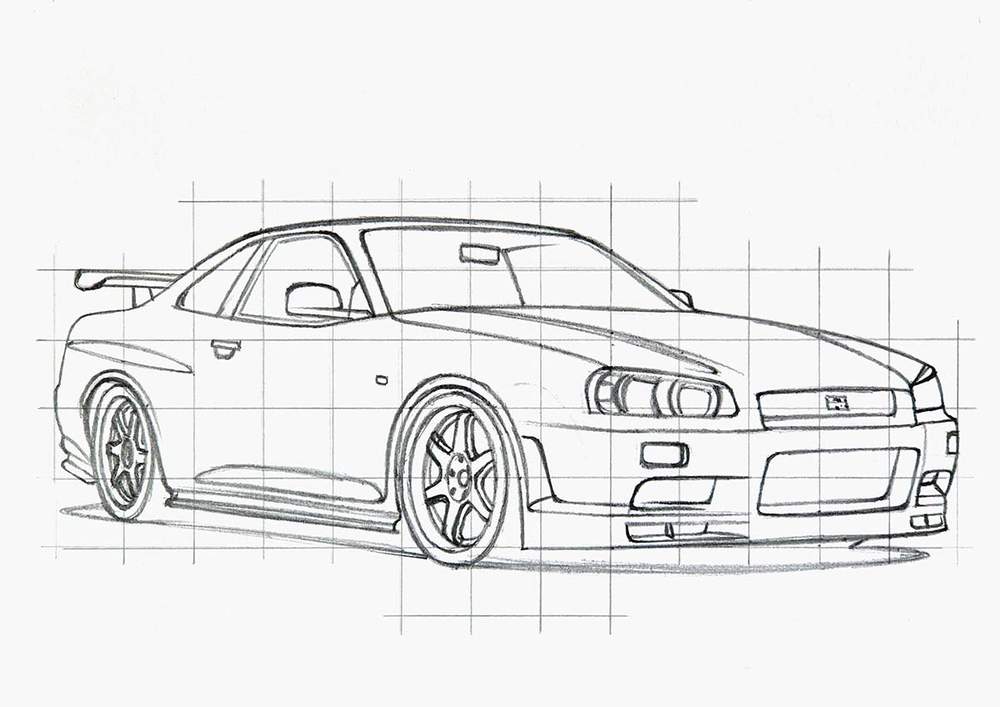
Step 5: Mark Out the Reflections on the Body of the Nissan R34
The sketch might look finished, but there is one thing I want to add: the reflections.
I like to mark out where the reflections are, as this makes coloring the car a lot easier.
To do this, I carefully look at the reference photo and mark out the basic shapes of the reflections.
And that's the sketch all done!
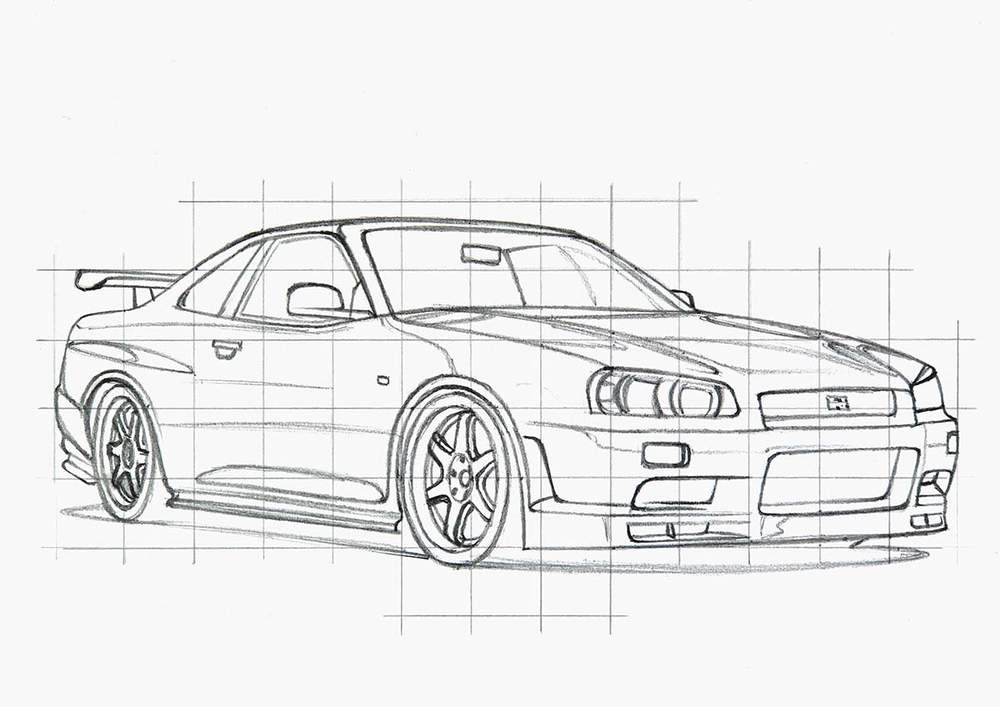
Important: before I color any part, I first lighten the sketch with my kneaded eraser to make sure it doesn't show through the marker ink.
Step 6: Color All Pure Black Parts with Markers
I often found the finished sketch to look very overwhelming. Where do you even start coloring?
Luckily, I found a simple solution to this overwhelm: just color all pure black parts.
This is super easy to do, and it makes the drawing look so much less complicated.
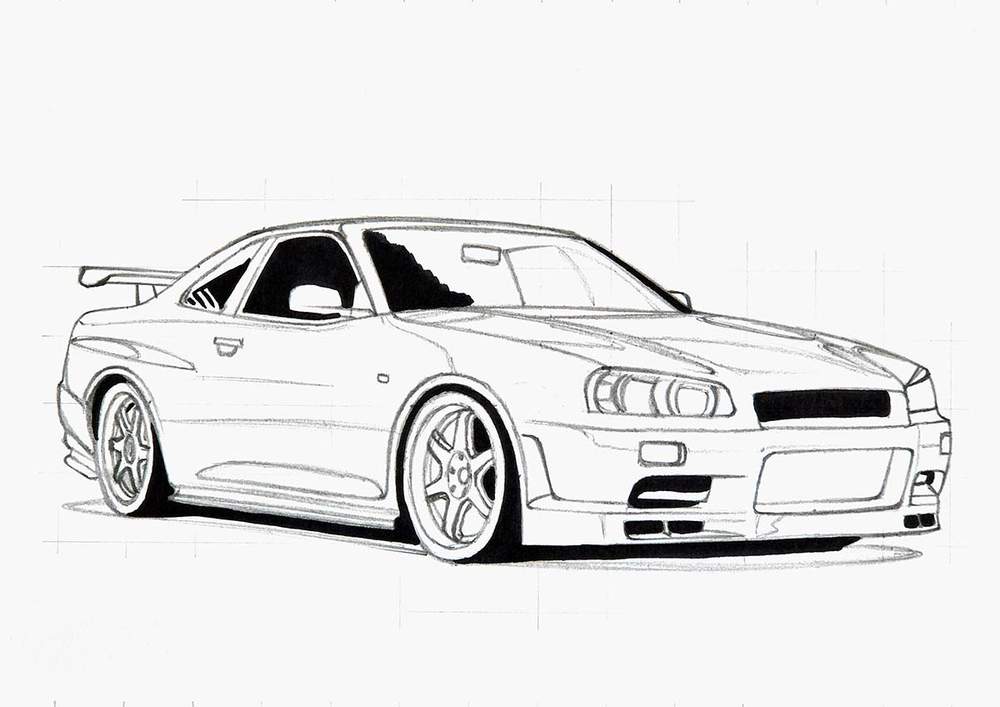
Step 7: Color the Wheels of the Nissan R34
After that, I like to color the wheels.
I started coloring both rims with Neutral Grey 03 (CG030).
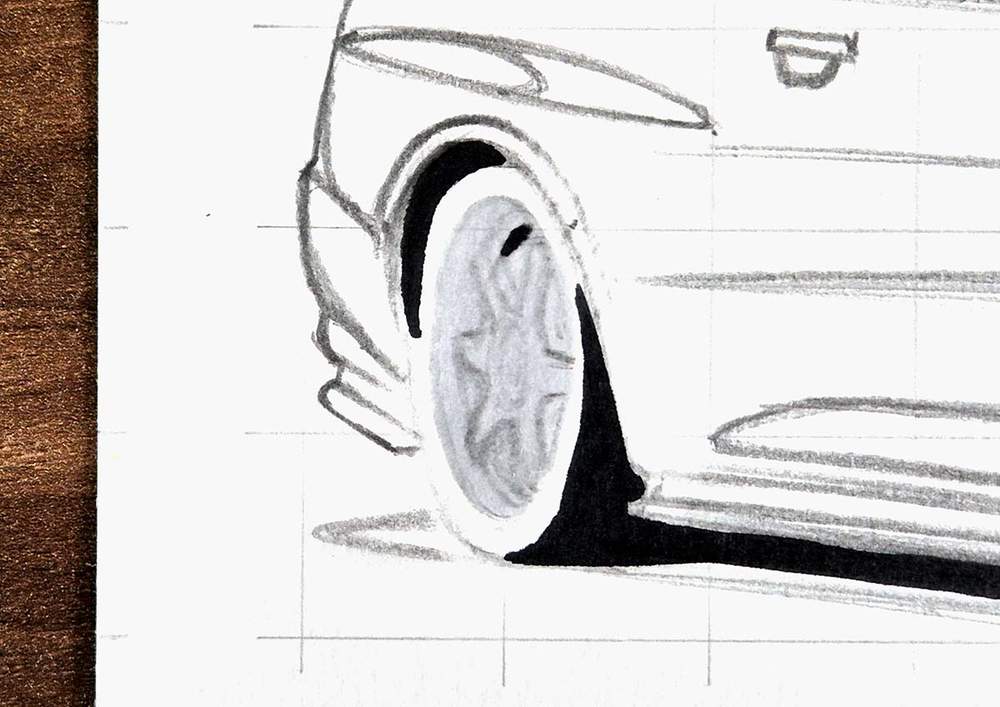
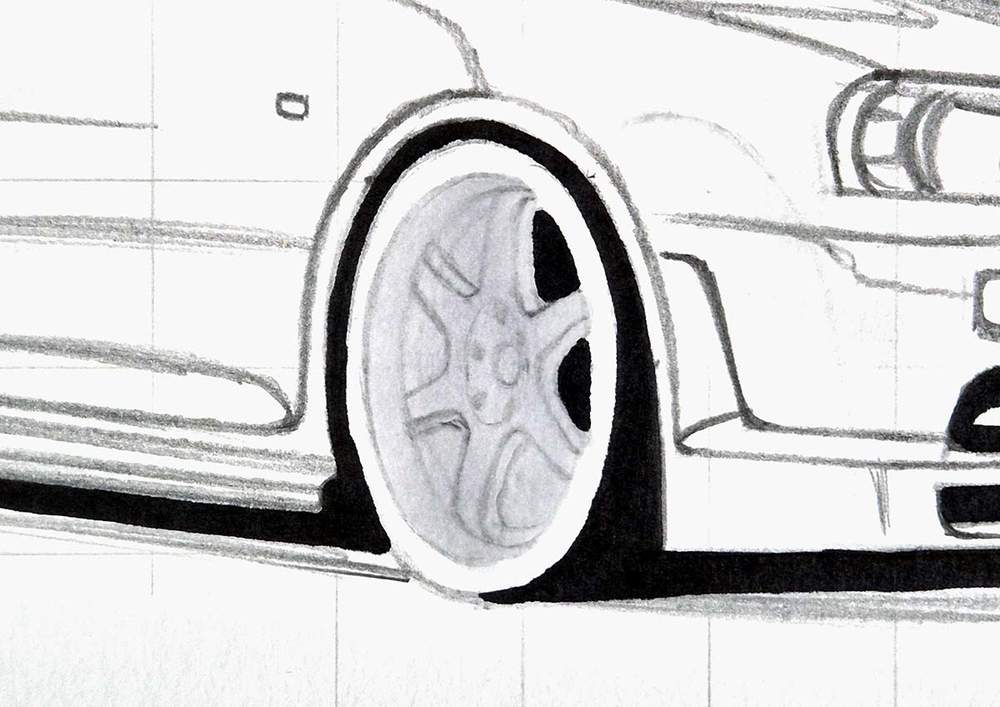
Next, I used Neutral Grey 3 (NG03) to add shading.
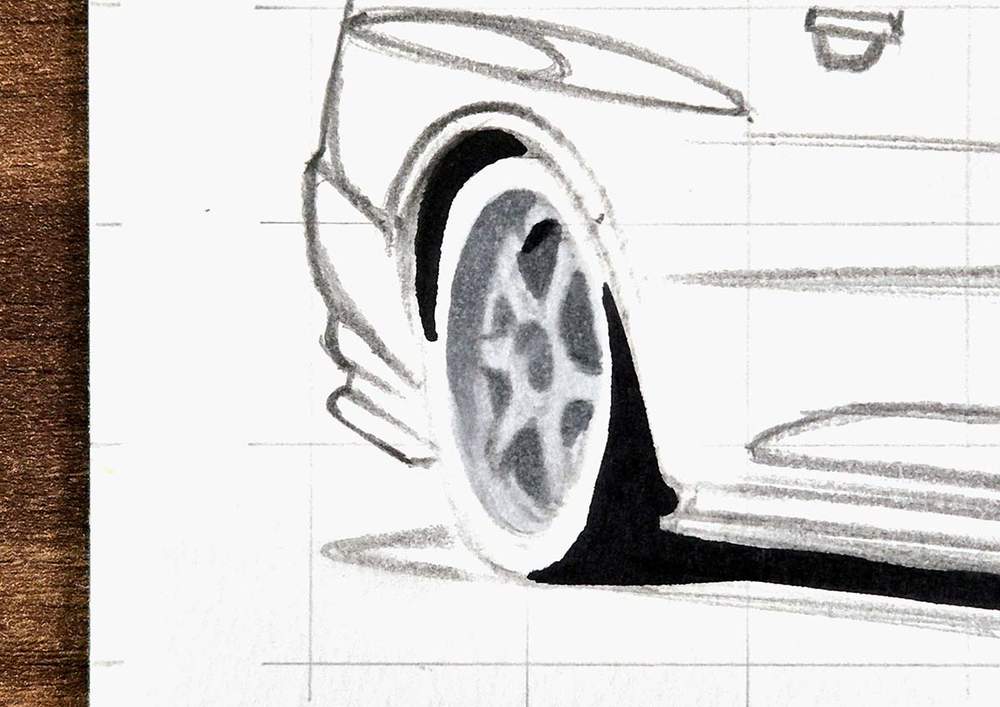
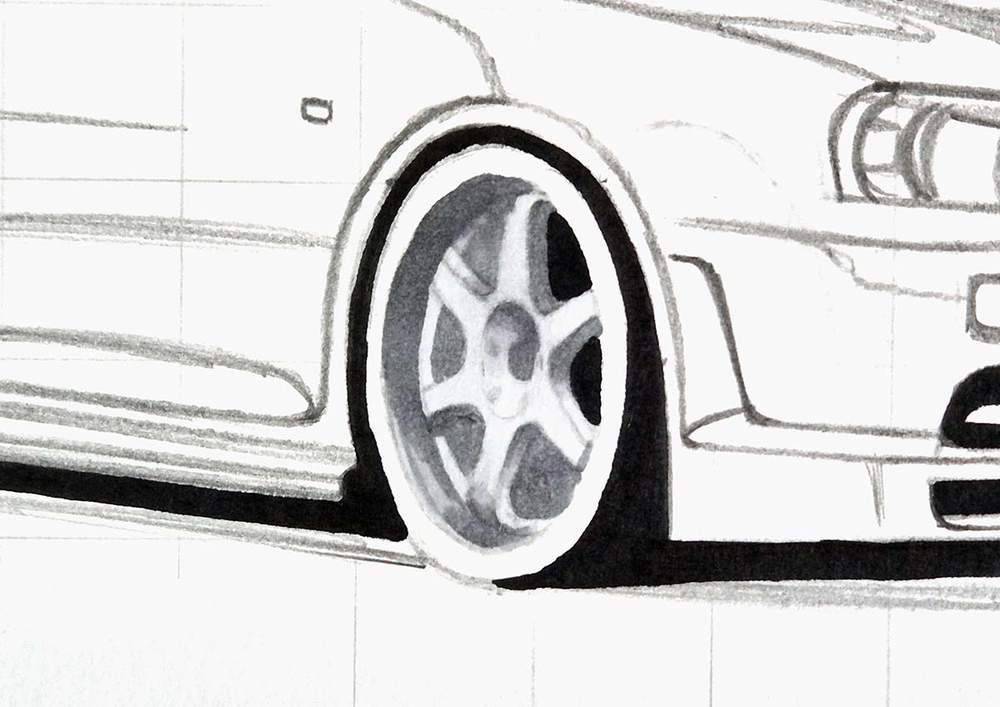
Lastly, I added darker shading to a few spots with Neutral Grey 07 (CG070), and I colored the tires with Neutral Grey 6 (NG06).
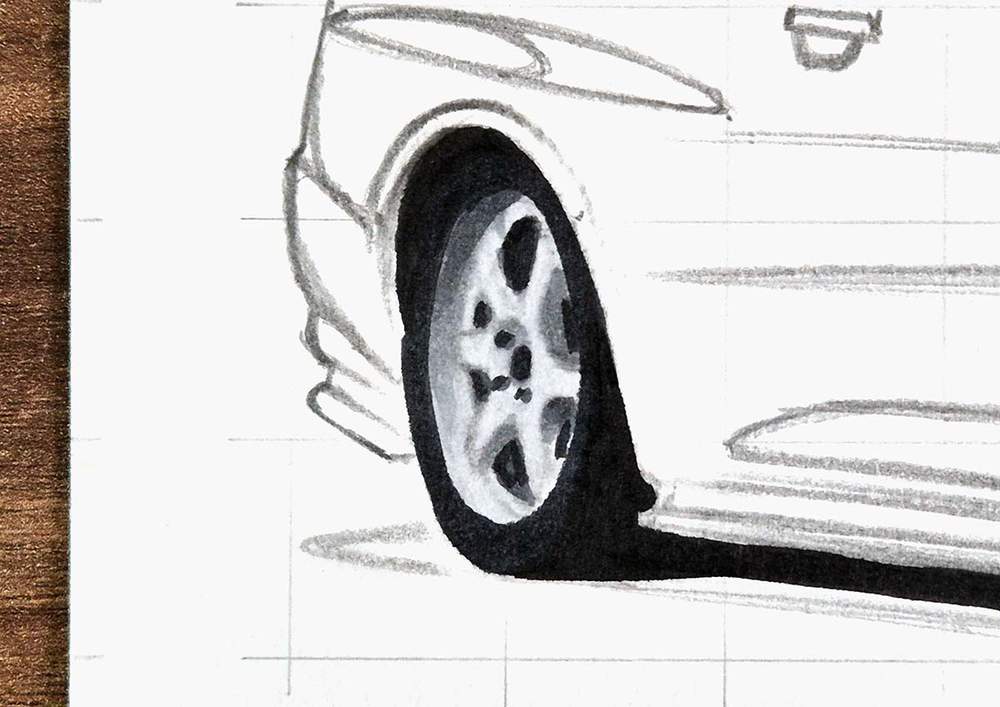
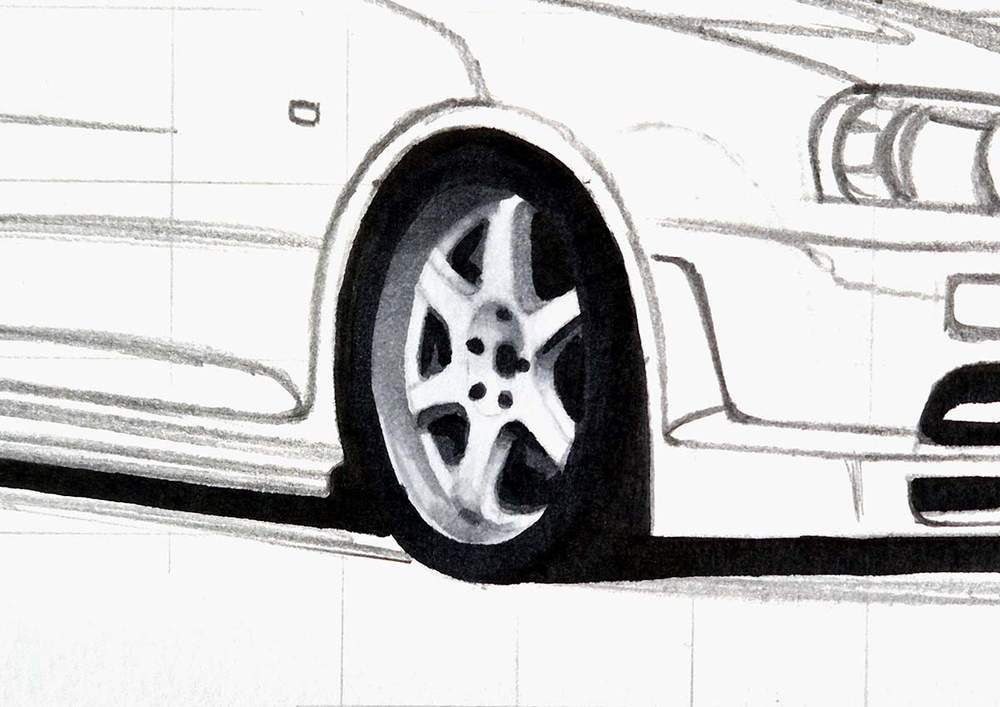
Step 8: Color the Shadow of the GTR R34
Next, I colored the shadow with Neutral Grey 03 (CG030).
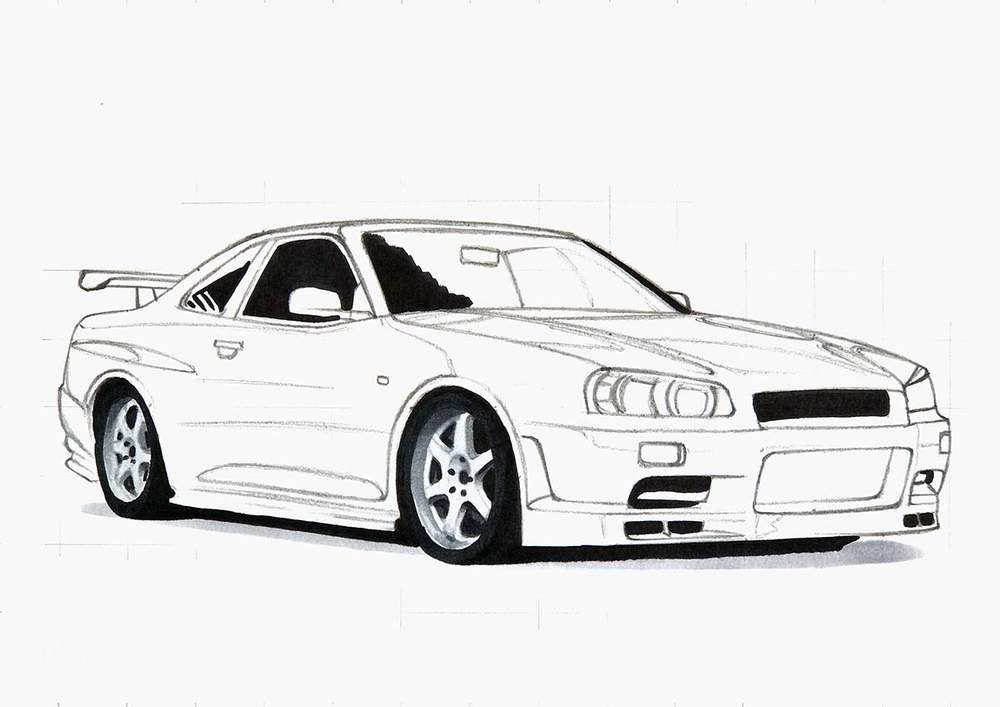
Then, I added a border of Neutral Grey 07 (CG070) between the light grey and the black.
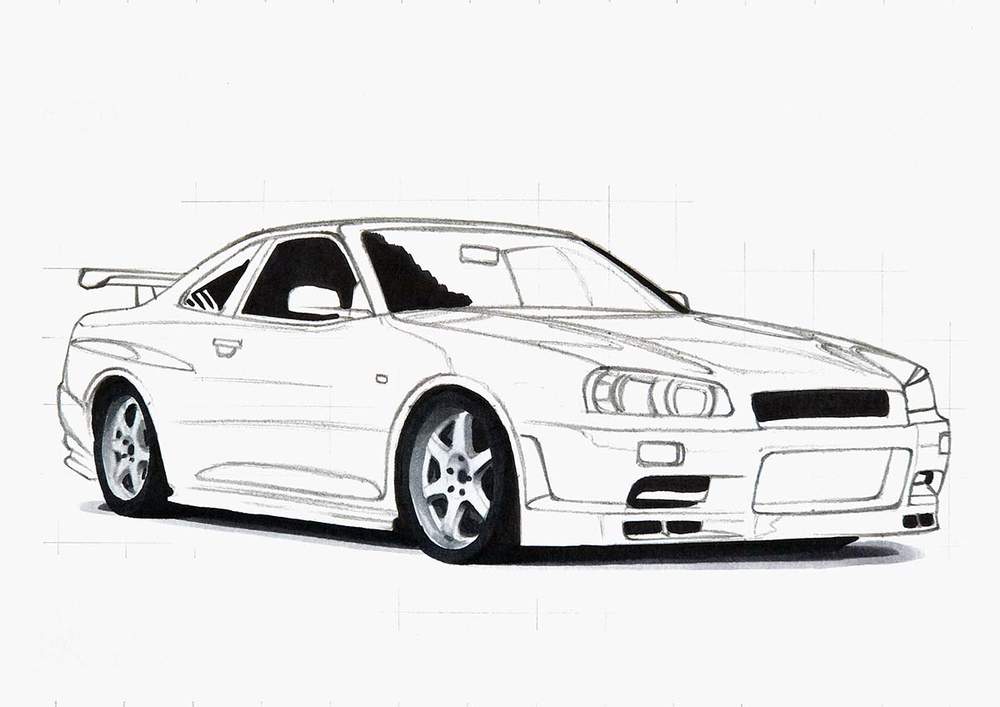
Lastly, I blended the grey tones together to form a more gradual gradient.
I colored over the edge of the black with Neutral Grey 07 (CG070).
I colored over the edge of the Neutral Grey 07 (CG070) with Neutral Grey 03 (CG030).
And I used the Colorless Blender (0) to color over the outer edge of the shadow to blend it into the white of the paper.
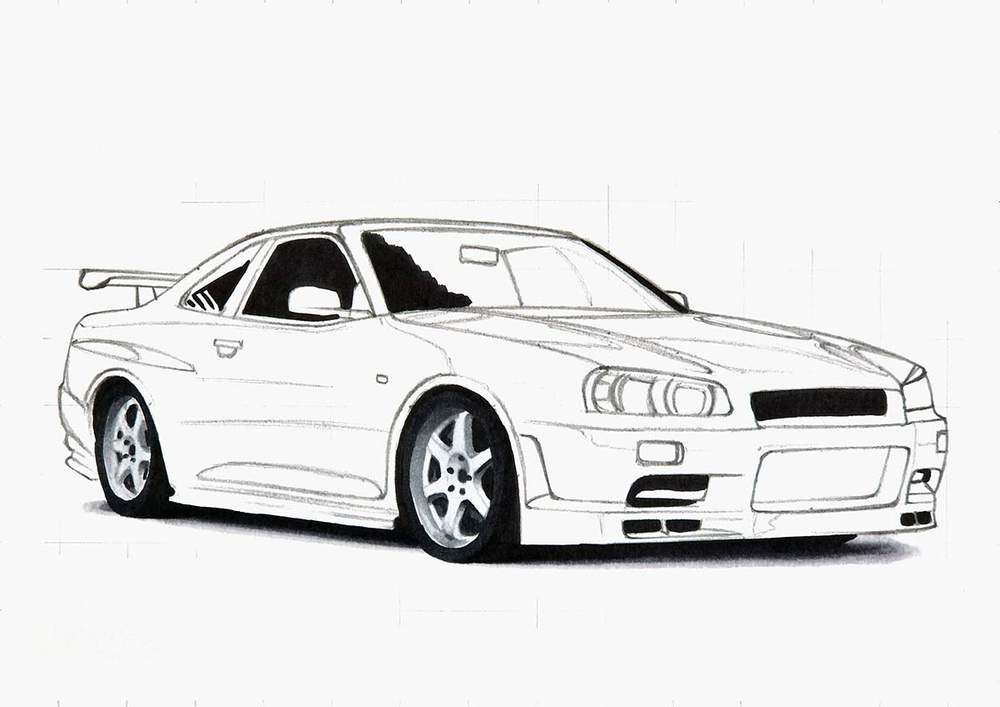
Step 9: Color the Grey Parts of the Front Bumper
Next, I colored the grey parts on the front bumper, starting with the grills.
I colored the big central grill with Neutral Grey 07 (CG070), and I colored the remainder of the side grills with Neutral Grey 6 (NG06).
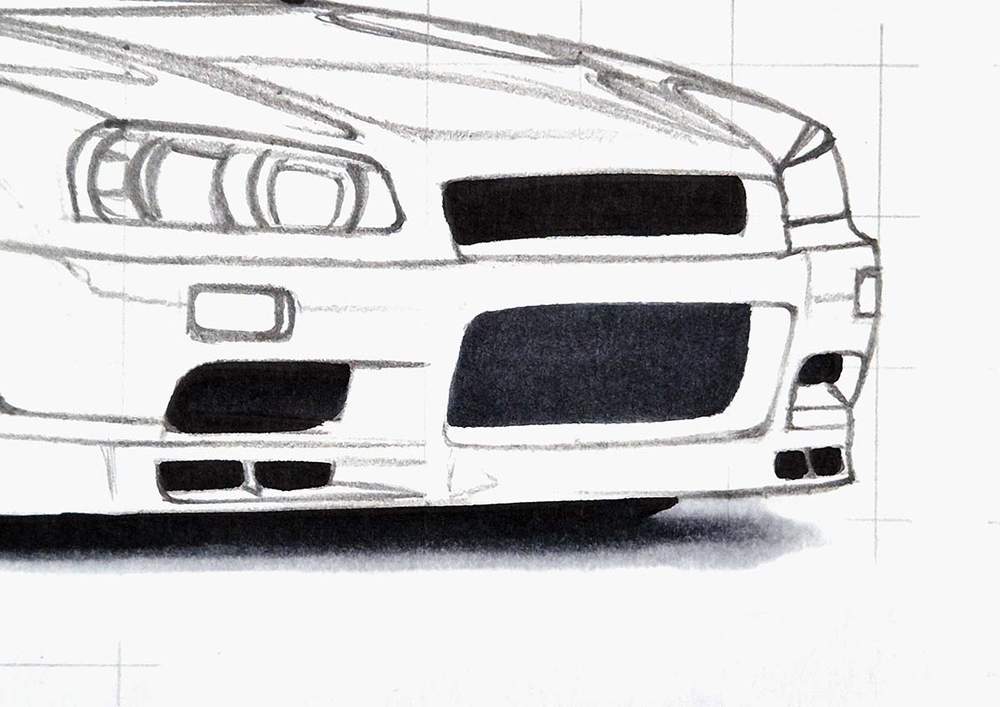
Next, I tackled the small lights, which I colored with Neutral Grey 03 (CG030) first.
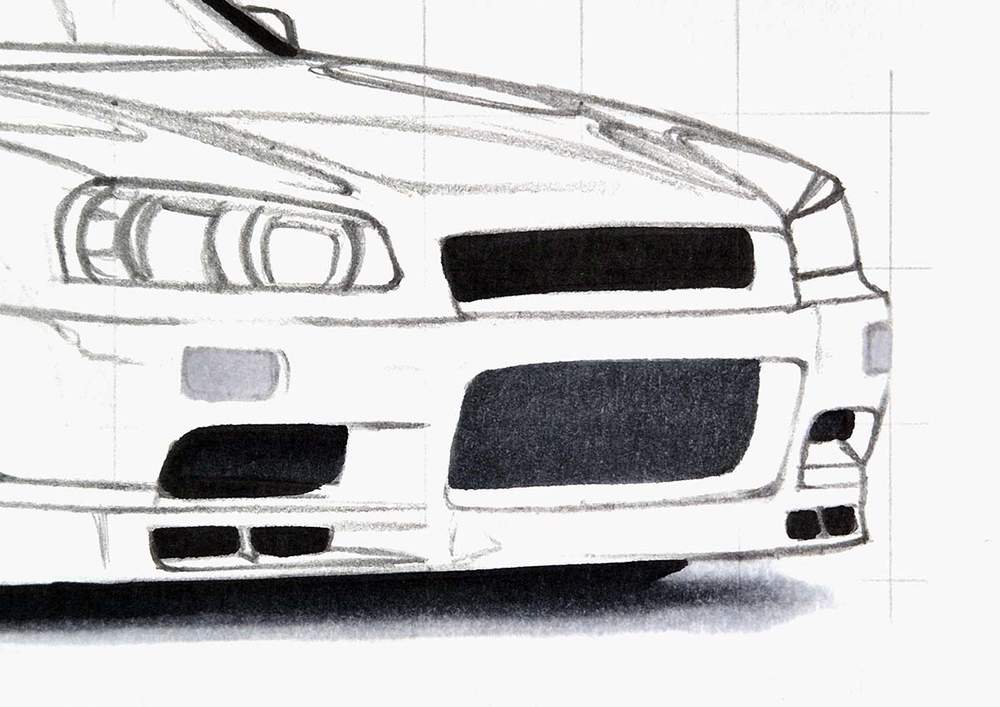
Then, I used Neutral Grey 3 (NG03) to darken the edges and add some line shapes in the center.
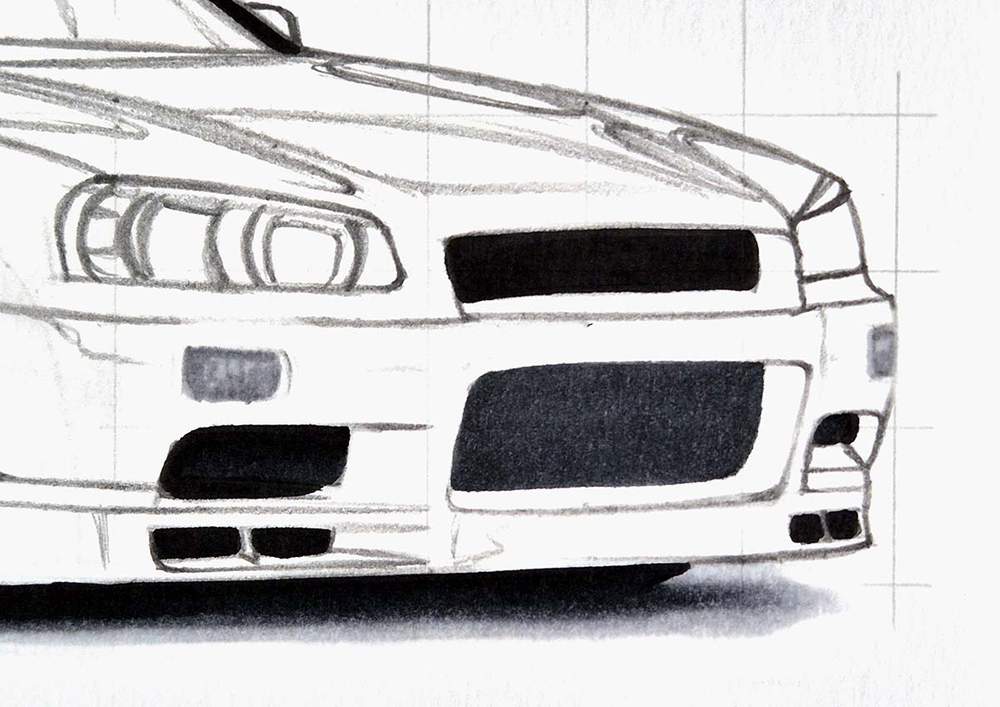
Lastly, I used Neutral Grey 07 (CG070) to add a thin dark outline and draw some small lines on the bottom half.
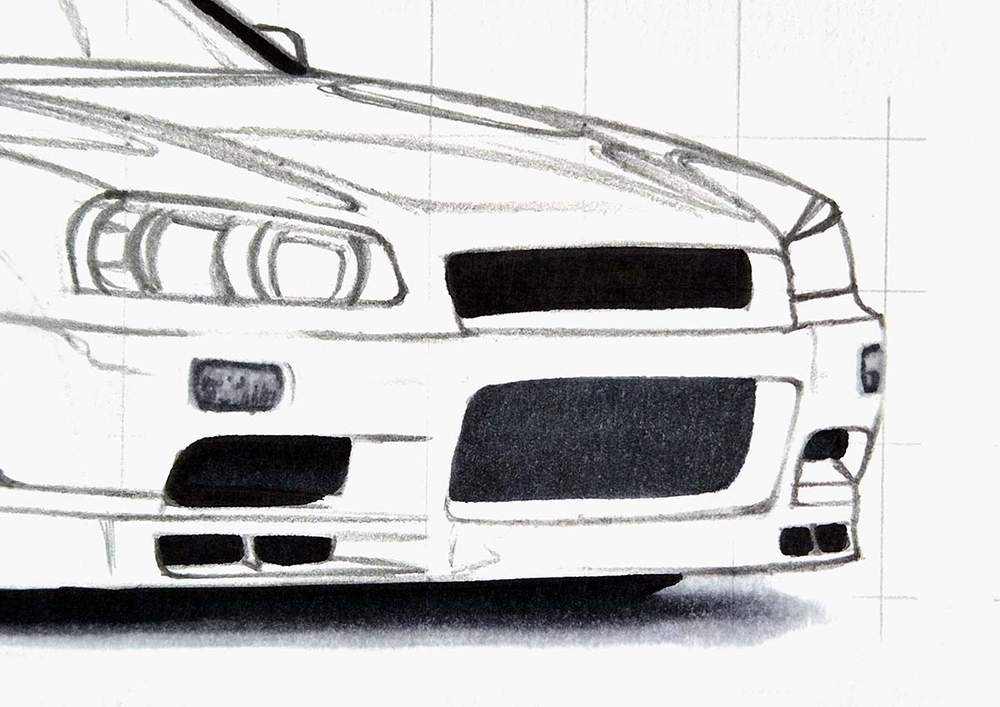
Step 10: Color the Headlights of the Nissan GTR R34
Next up, I colored the headlights.
I first colored them both with Neutral Grey 03 (CG030).
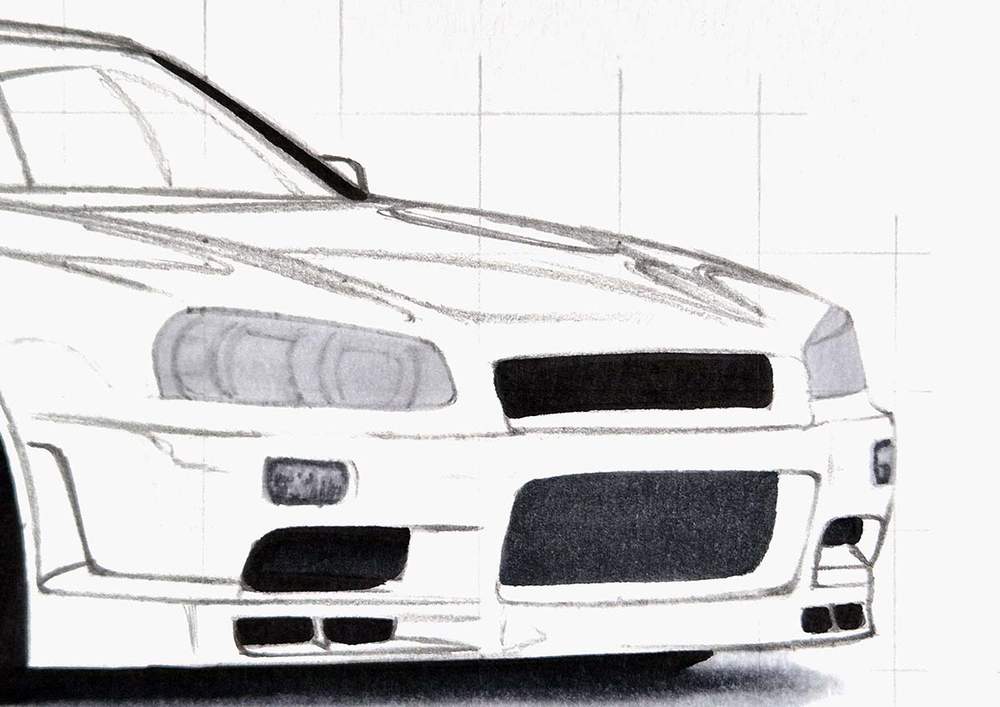
Then, I started adding the details and basic shading with Neutral Grey 3 (NG03).
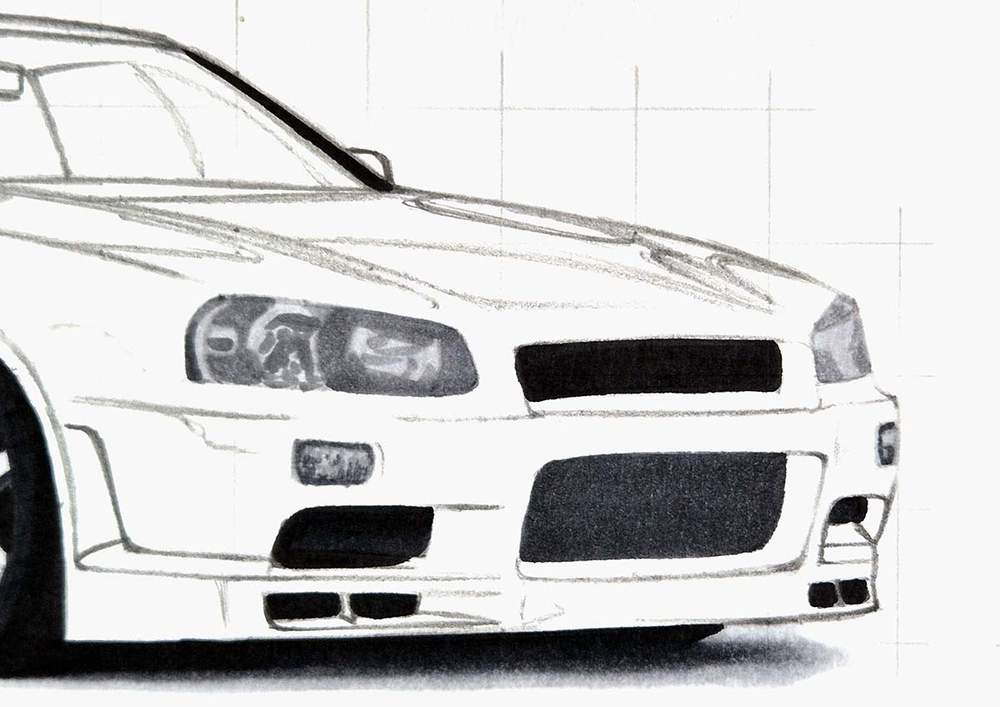
Lastly, I used Neutral Grey 07 (CG070) and Neutral Grey 6 (NG06) to add the darkest shading and details.
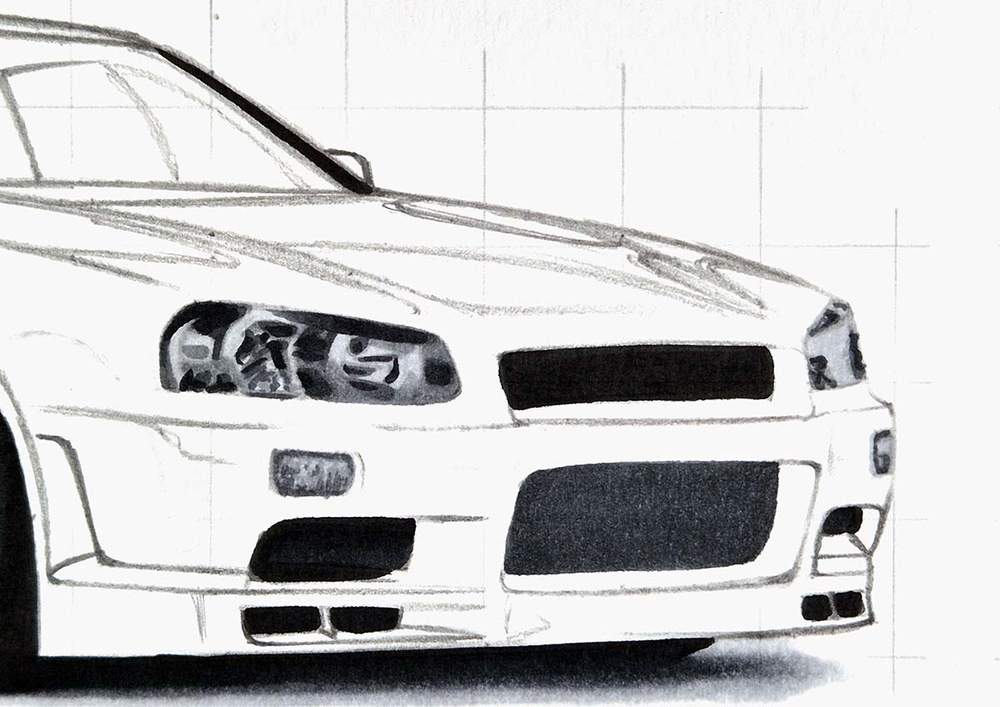
This is good enough for now.
Step 11: Color the Windshield of the Nissan Skyline GTR
After that, I colored the windshield.
I color the right side and the top with Neutral Grey 03 (CG030).
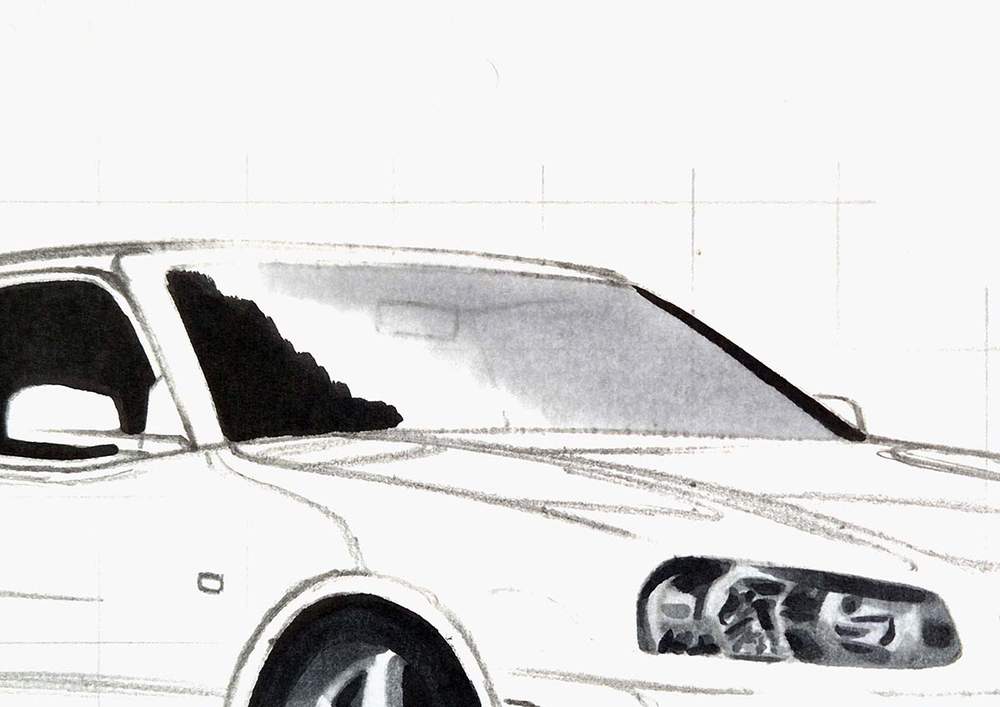
Then, I used Neutral Grey 3 (NG03) to color the remainder and blended it out into the lighter grey with Neutral Grey 03 (CG030).
As you can see, I completely forgot about the rearview mirror. I wanted to keep it light grey.
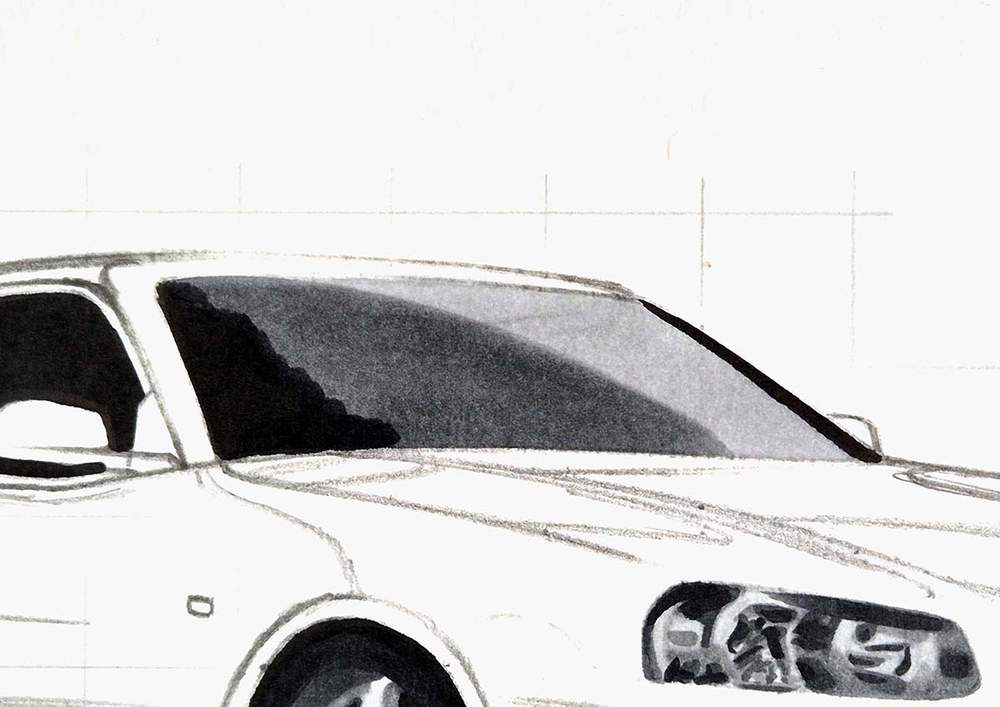
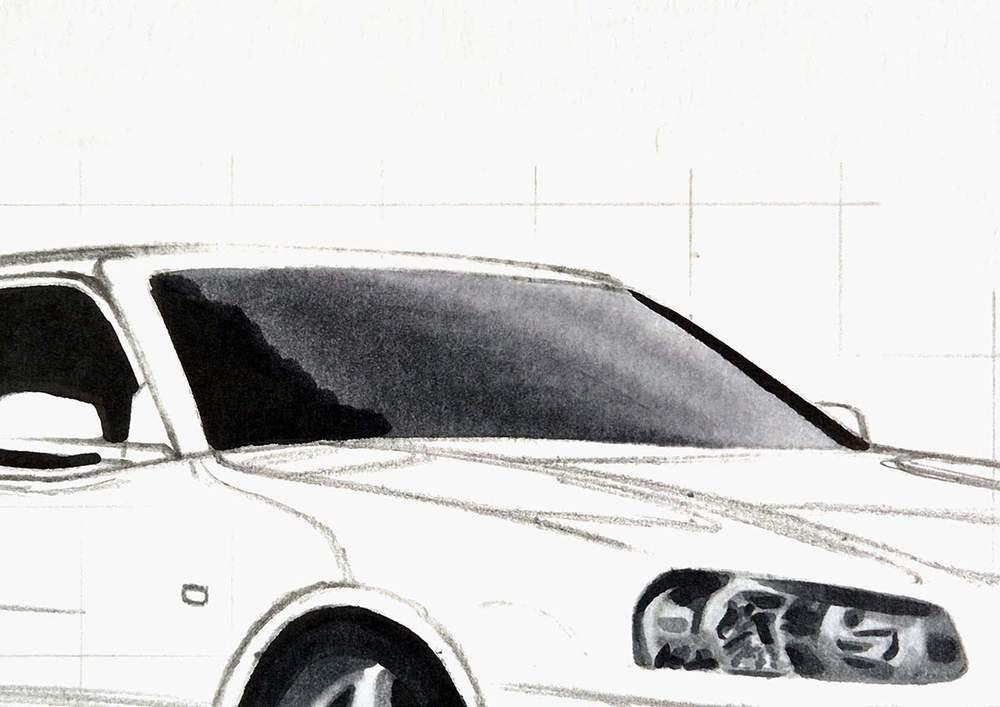
Next, I used Neutral Grey 07 (CG070) to color everything to the left of the edge of the side window, which you can faintly see through the windshield.
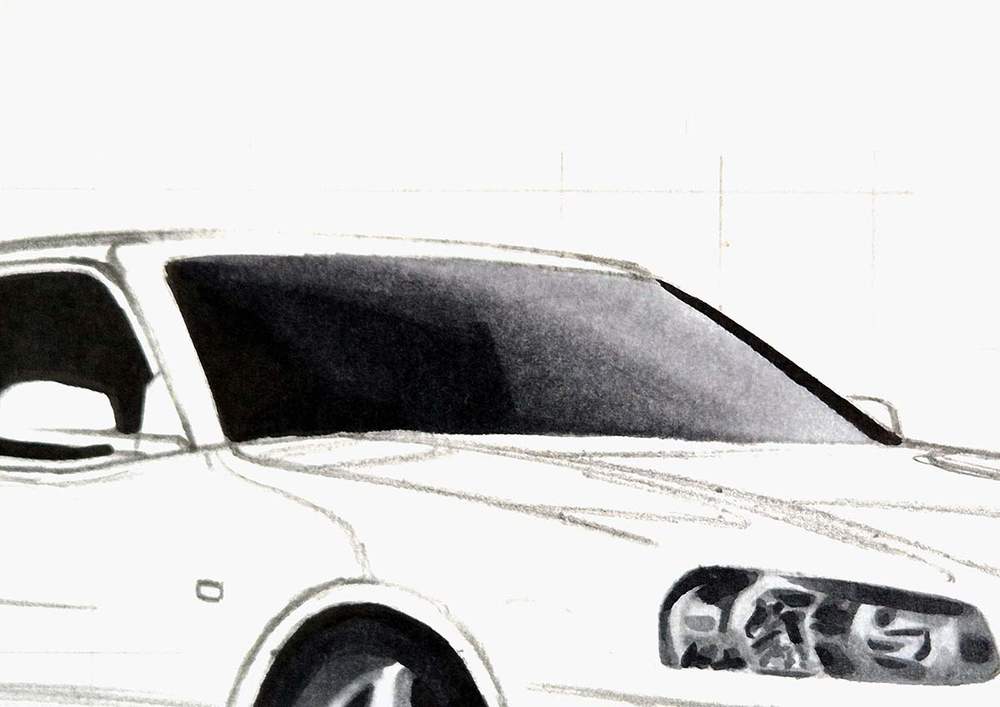
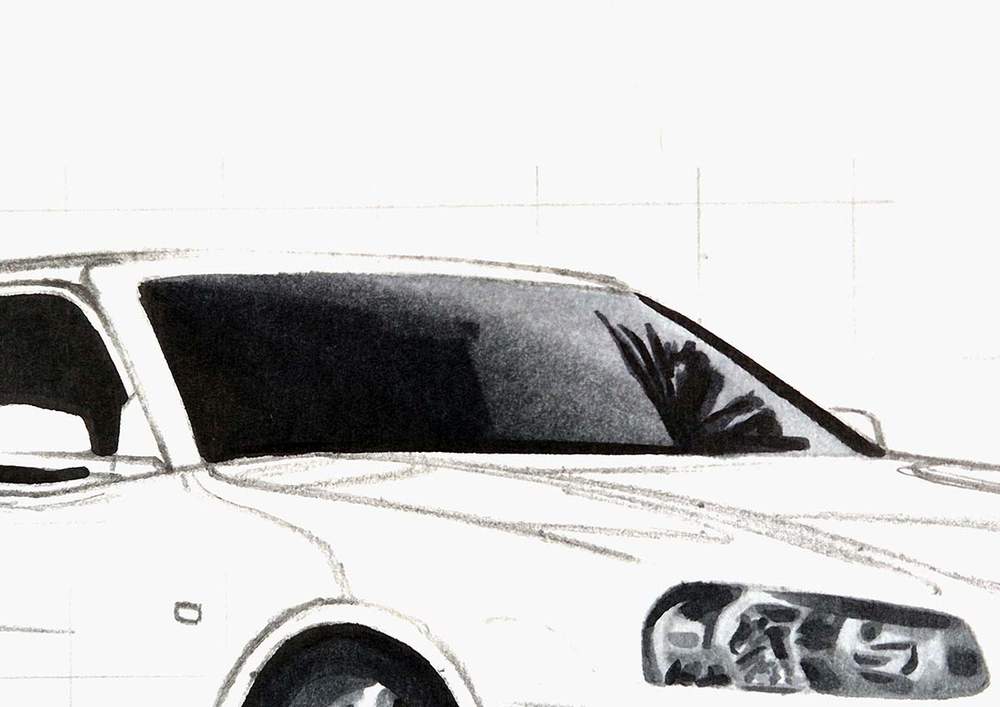
Lastly, I used Neutral Grey 6 (NG06) to blend the black on the left into the Neutral Grey 07 (CG070), and I added the palm tree reflection on the right side of the windshield.
Step 12: Color the Side Windows of the Nissan R34
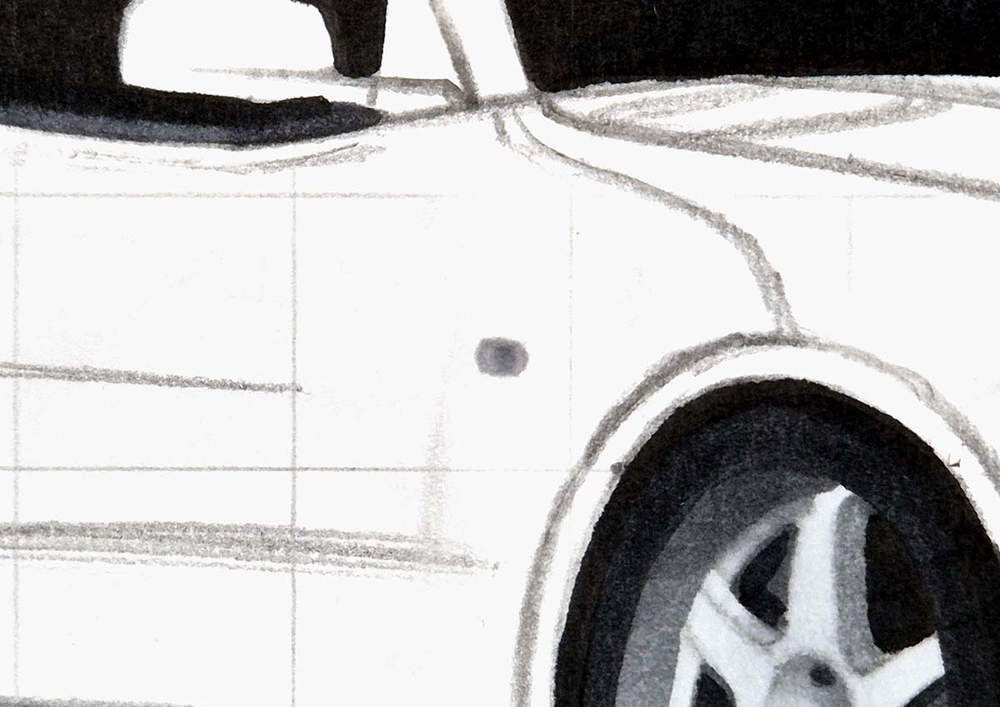
Next, I colored the remainder of the side windows and the window sills with Neutral Grey 07 (CG070).
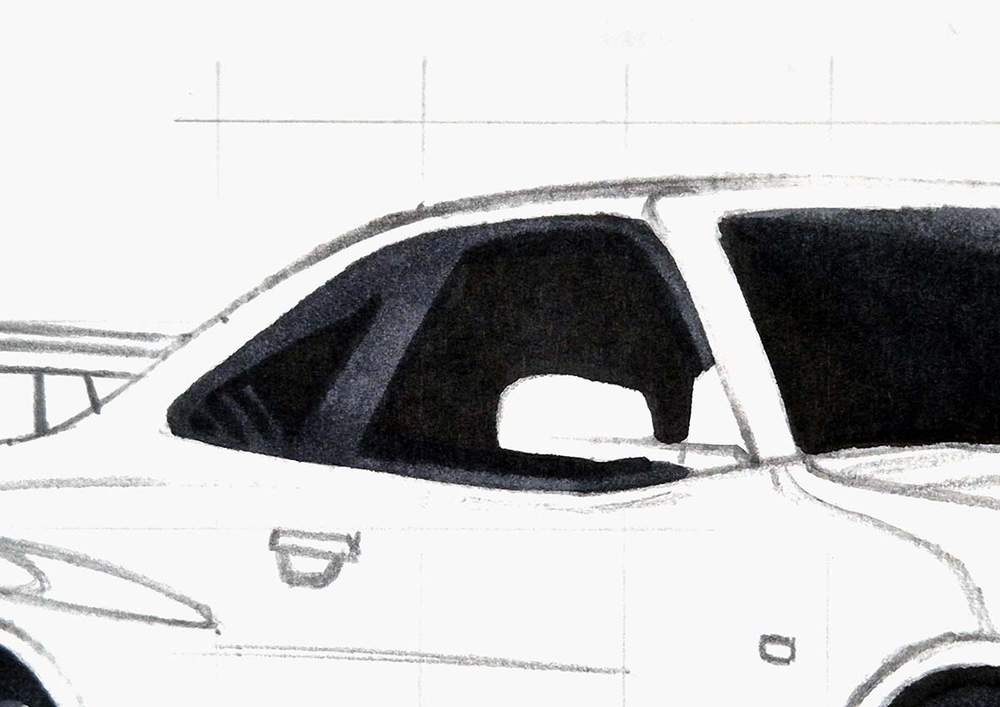
I also colored this small blinker light first with Neutral Grey 03 (CG030), and then added a dot of Neutral Grey 3 (NG03) in the middle.
Now all black and grey parts of the Nissan R34 are colored!
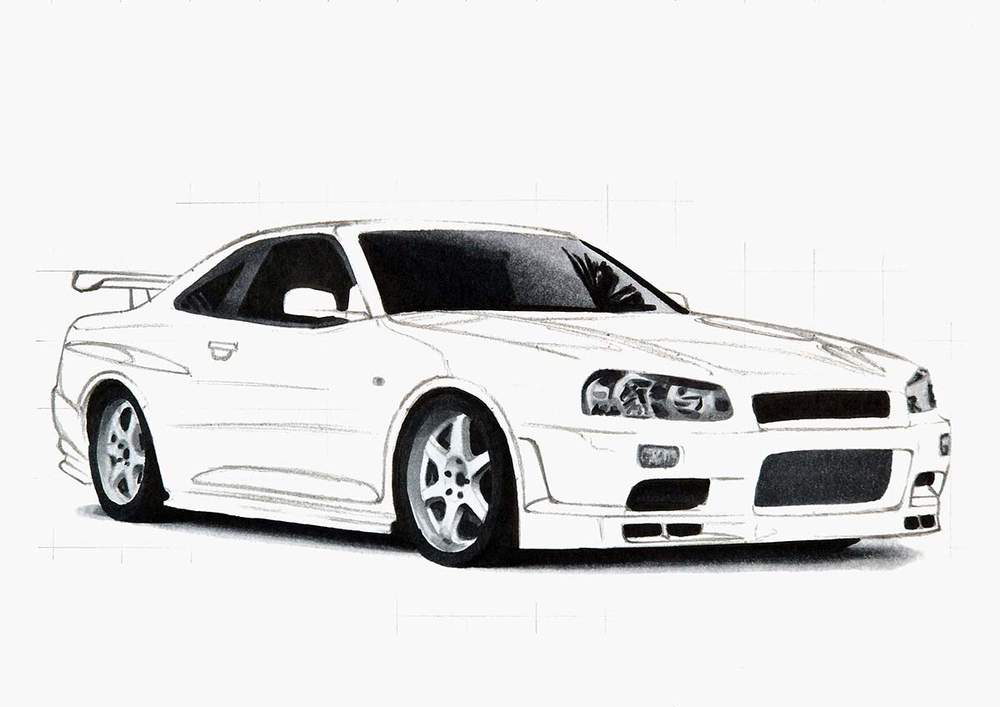
Step 13: Color the Main Body of the Nissan Skyline R34
Now the fun part: coloring the main body and all the reflections.
I first lightened the whole sketch of the main body. Just enough so it doesn't show through the markers too much while still being able to see the sketch.
Next, I colored all light blue parts with Robin's Egg Blue (B050).
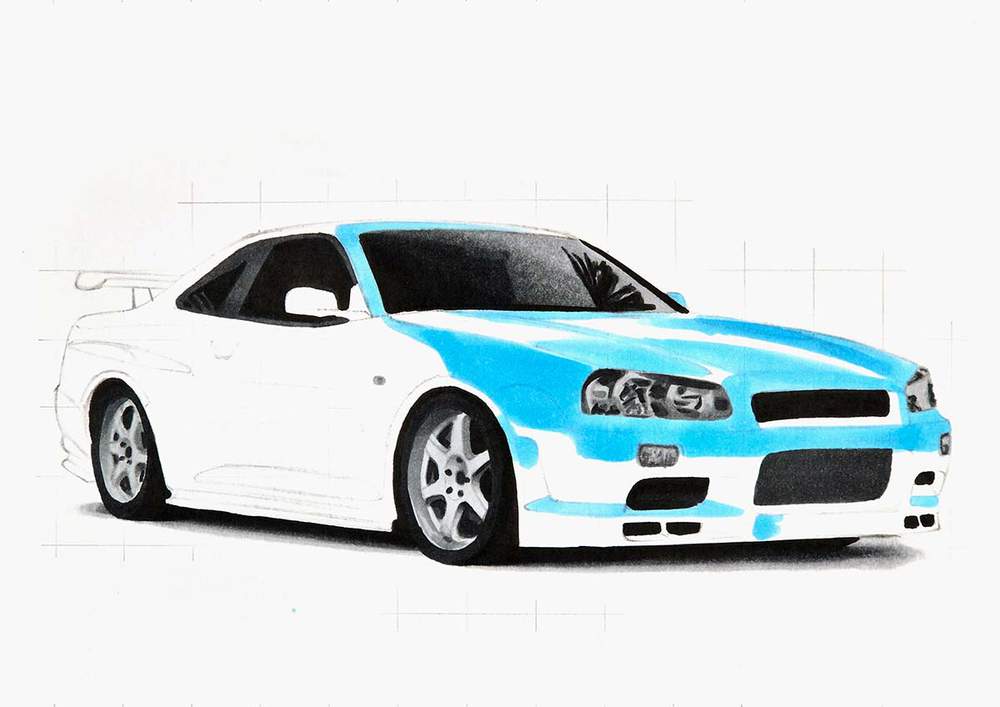
After that, I used Tahitian Blue (B070) to add shading to the light parts and to color the lower edge of the front bumper.
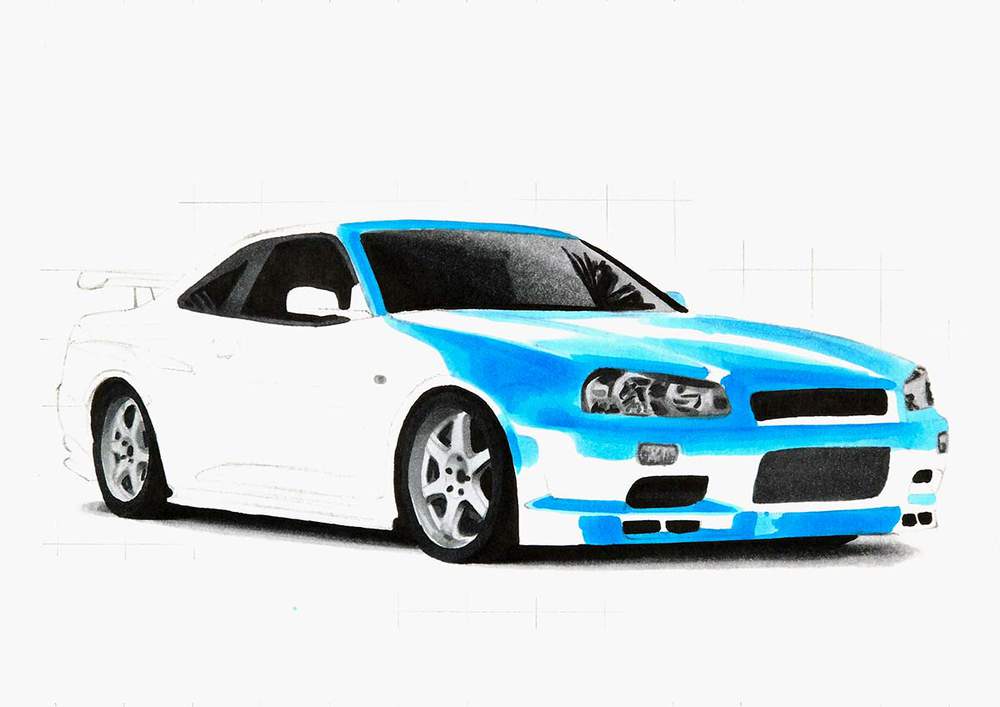
Then, I used Process Blue (B080) to color the rest of the car and to add reflections to the light parts.
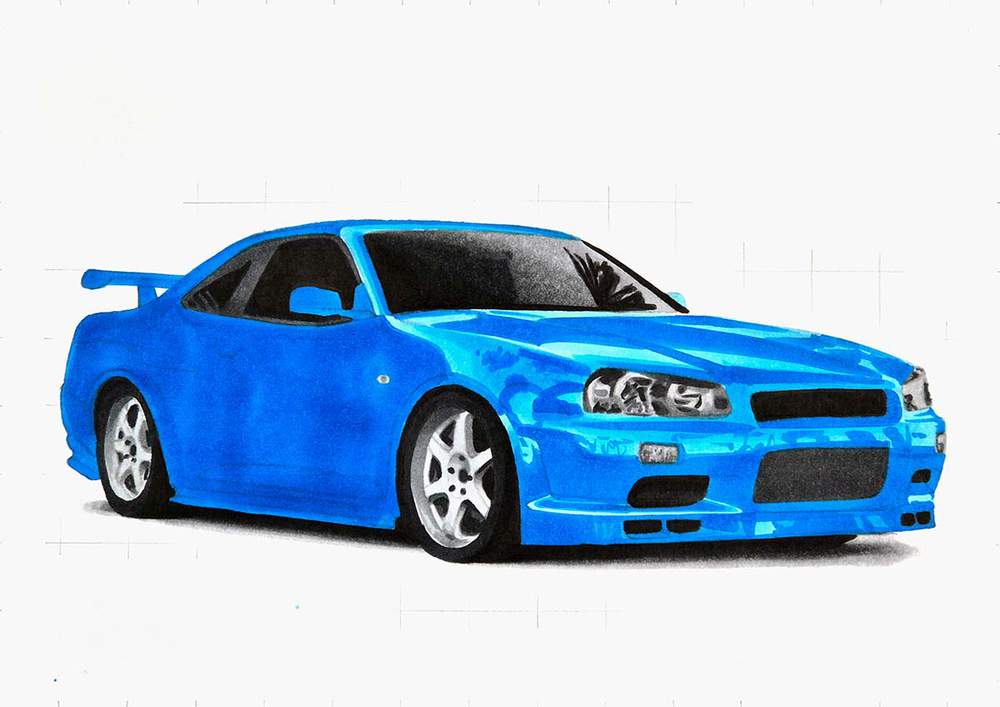
Next, I used Royal Blue (PB6) to add dark reflections and shading all around the car.
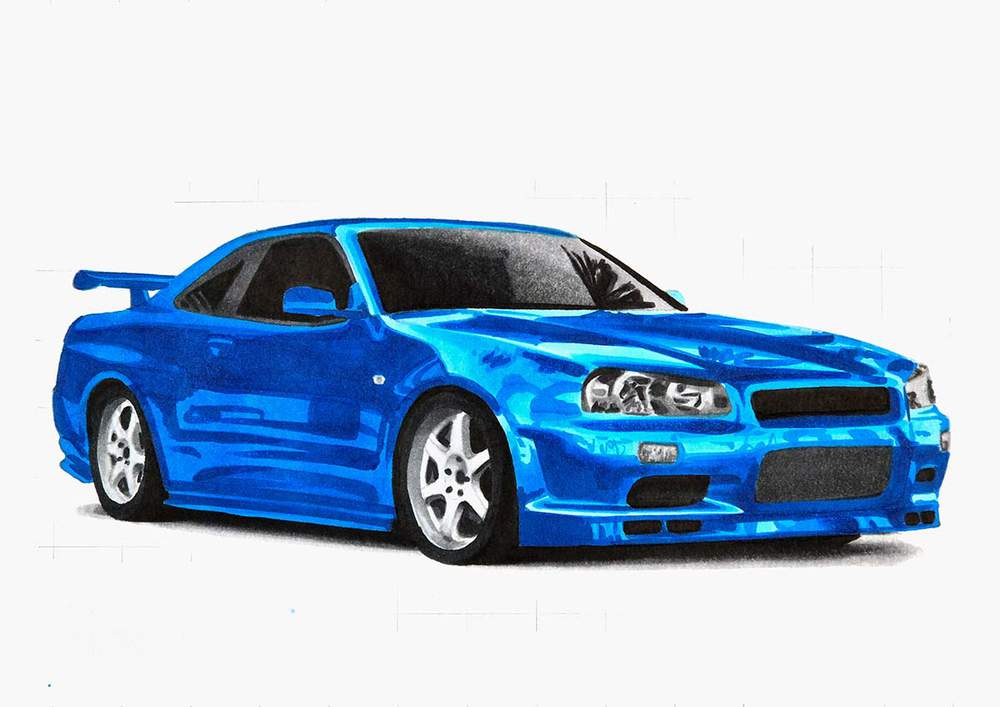
And lastly, I used Neutral Grey 07 (CG070) to add the darkest shading and reflections on the car.
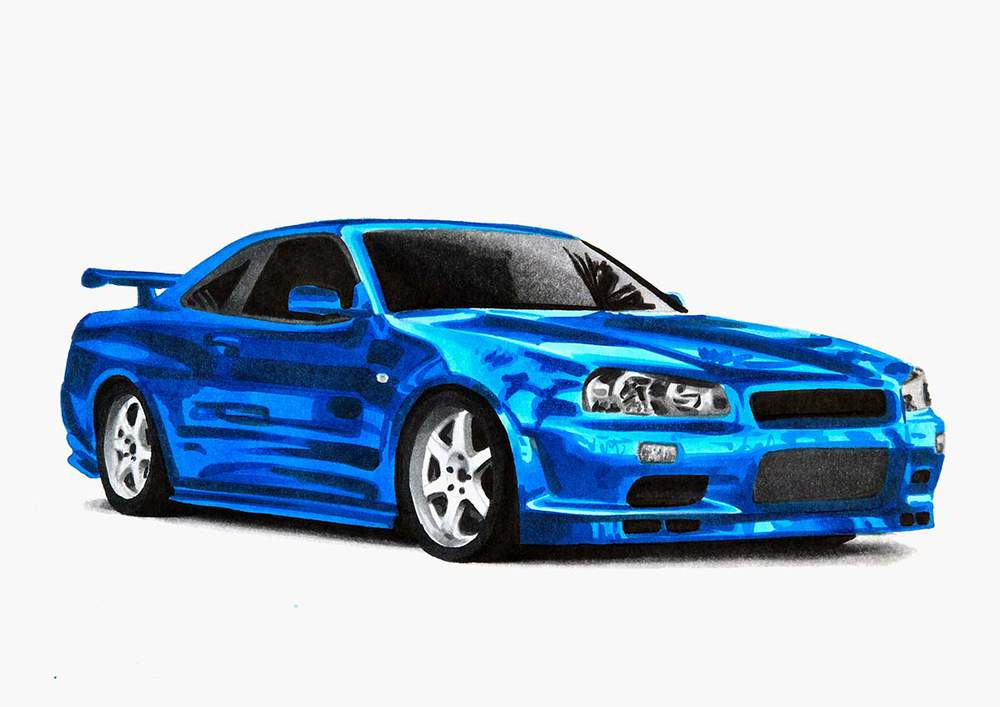
And that's the car fully colored!
You might be thinking to yourself: this doesn't look that good.
And you're right, it doesn't.
But I have a simple trick to make this drawing look so much more realistic without much effort.
Step 14: Add Details with 2 Colored Pencils to the Nissan R34 Drawing
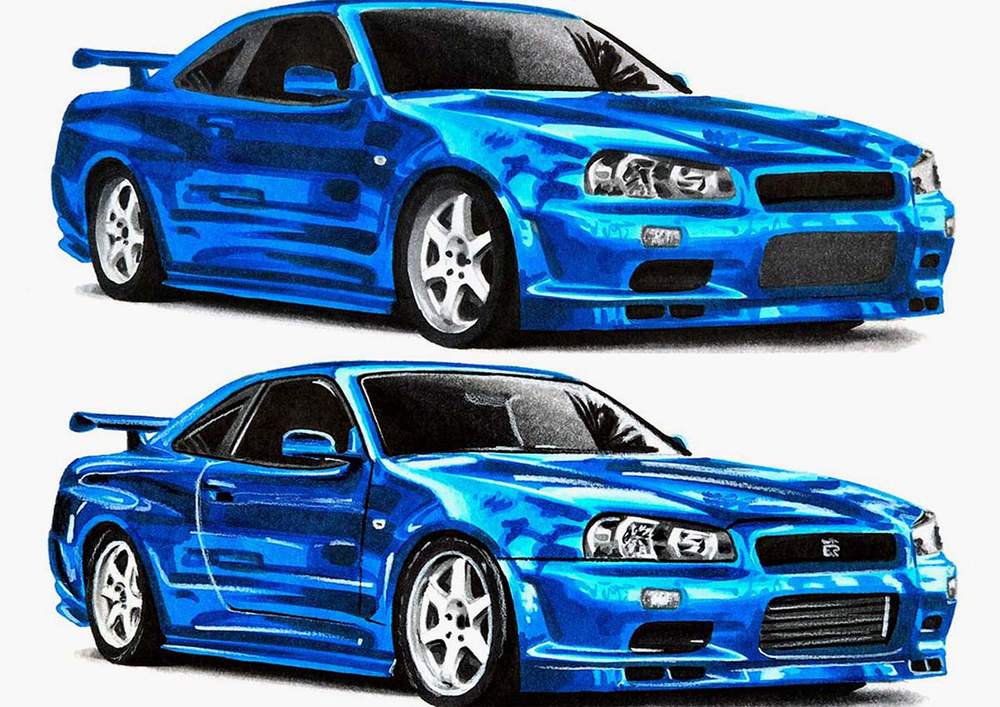
The Nissan R34 drawing is lacking a lot of details right now, and an easy way to add those is by using a black and a white colored pencil.
I used the black pencil to:
- add a few panel gaps;
- to outline the headlights and the windows;
- to add just a few details to the headlights;
- and to add just a little bit of shading to the wheels.
And I used the white pencil to:
- add highlights all over the car;
- add details to the headlights;
- highlight edges;
- refine the shape of the wheels and add the outer rim edge;
- add highlights on the radiator on the front;
- add the GTR logo on the top grill.
I also added black lines across the radiator on the front with my Black (120) marker.
Step 15: Add White Highlights to your Nissan Skyline GTR R34 Drawing
And to add the final finishing touches, I used my white paint marker to add a few pure bright highlights all over the car.
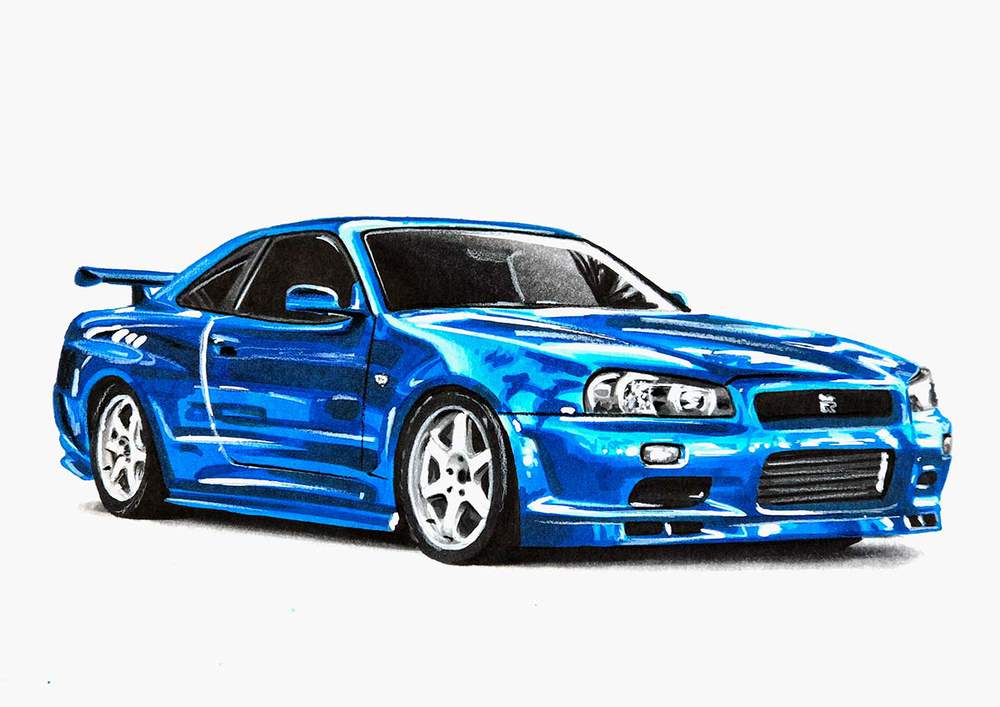
Final Result!
And that's it! That's exactly how I drew this realistic Nissan Skyline GTR R34.
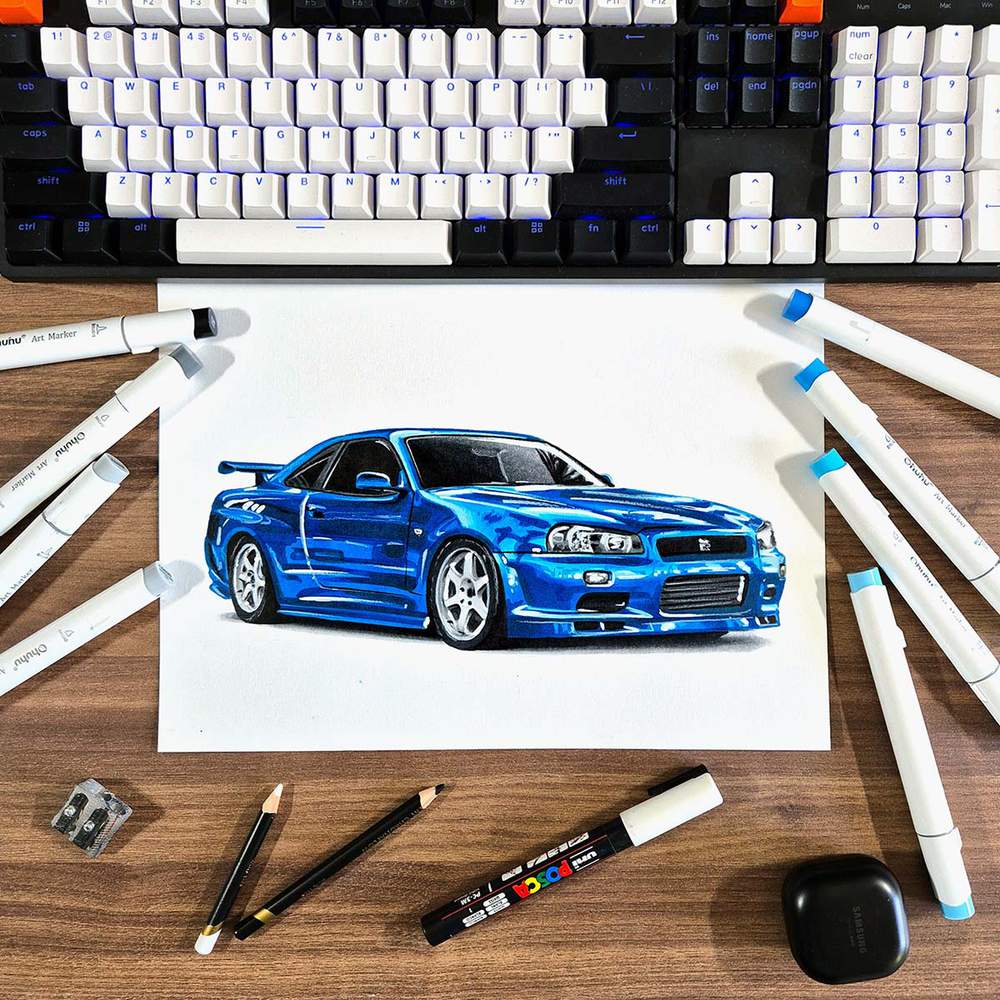
I hope you enjoyed this step-by-step car drawing guide.
If you did enjoy it and want to learn how to draw other cars, too, make sure to check out my other step-by-step car drawing guides.
Articles You Might Also Like


I love bringing cars to life with alcohol markers and colored pencils.
Whether you're just starting out or looking to improve your skills, I'm here to help!
Click here to learn more about me.


Add a comment
Comments
thank you